Compose Custom BGM for Your Shorts with Gemini and Lyria 3

Hello creators, welcome back to A2SET’s AI Tutorial.
When editing YouTube Shorts, Instagram Reels, or TikTok videos, one of the most time-consuming parts is often finding the right background music.
You may spend a long time browsing free music libraries, testing different tracks, checking the mood, and making sure the music fits your video. Even then, the track may feel too generic, too slow, too dramatic, or not quite right for your scene.
In this tutorial, we will use Gemini’s Lyria 3 music generation tool to create a short custom BGM track from a simple text prompt.
The workflow is simple.
Open Gemini.
Activate the music generation tool.
Write a clear music prompt.
Generate a 30-second track.
Listen, download, and use it in your editing software.
This does not mean every generated track will be perfect. You may need to try a few different prompts before finding the right mood. Also, before using AI-generated music in commercial projects, always check the current platform terms, usage rights, and plan conditions.
Image caption: Gemini’s Lyria 3 music generation tool can help creators make short custom BGM tracks from text prompts.
What is Lyria 3?
Lyria 3 is Google DeepMind’s music generation model available through Gemini and other Google products.
It can generate short music tracks from text prompts and, depending on the available interface, may also support image-based inspiration.
For creators, this can be useful when you need quick background music for:
YouTube Shorts,
Instagram Reels,
TikTok videos,
travel clips,
product teasers,
vlogs,
intro videos,
or short brand content.
The biggest advantage is speed.
Instead of searching through dozens of tracks, you can describe the mood, genre, instruments, and video situation directly.
For example, if your video is about a warm family trip to a hot spring in Japan, you can ask for calm acoustic guitar music. If your video is about a colorful night market, you can ask for a funky synth-pop track.
The more clearly you describe the scene, the easier it is for the AI to generate a track that fits your video.
Step 1: Activate Gemini’s Making Music Tool
First, open your web browser and go to Gemini.
Log in with your Google account.
Near the prompt input area, look for the tool or settings icon. Depending on the current Gemini interface, the exact position may be slightly different.
Open the tool menu and select Making music.
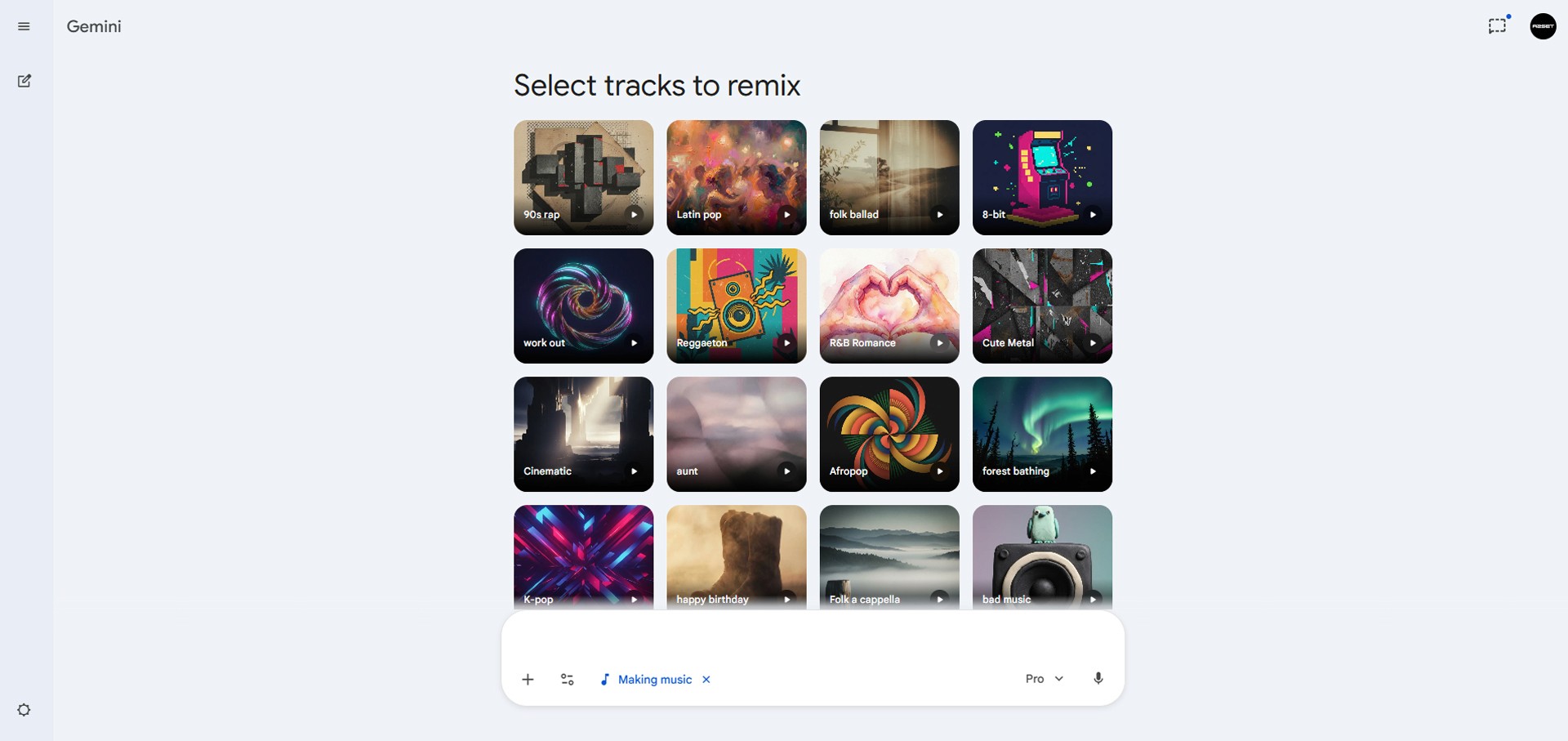
Image caption: Activate the Making music tool inside Gemini before writing your music prompt.
Once this mode is active, Gemini will understand that you want to create music instead of starting a normal text conversation.
If the Making music option does not appear in your account, it may not be available in your region, device, account type, or current plan yet. Google features often roll out gradually, so check again later or review the latest Gemini feature availability.
Step 2: Write a Clear Music Prompt
The key to a good result is a clear prompt.
Do not only write “make BGM.”
Instead, describe the video situation, mood, genre, instruments, and intended length.
A simple prompt formula is:
For example:
Or:

Image caption: A clear prompt should describe the video mood, music genre, instruments, and intended use.
These prompts work because they give the AI a specific creative direction.
The first prompt tells Gemini to make something warm, calm, bright, acoustic, and suitable for a family travel video.
The second prompt tells Gemini to make something energetic, rhythmic, colorful, and suitable for a night market vlog.
If the prompt is too vague, the result may feel random.
If the prompt is too complicated, the result may become unfocused.
For short-form video, simple and specific usually works best.
Step 3: Generate, Listen, and Download
After writing your prompt, press Enter.
Gemini will generate a short music track inside the chat window. In many cases, this may take a short amount of time depending on the model, account, and platform status.
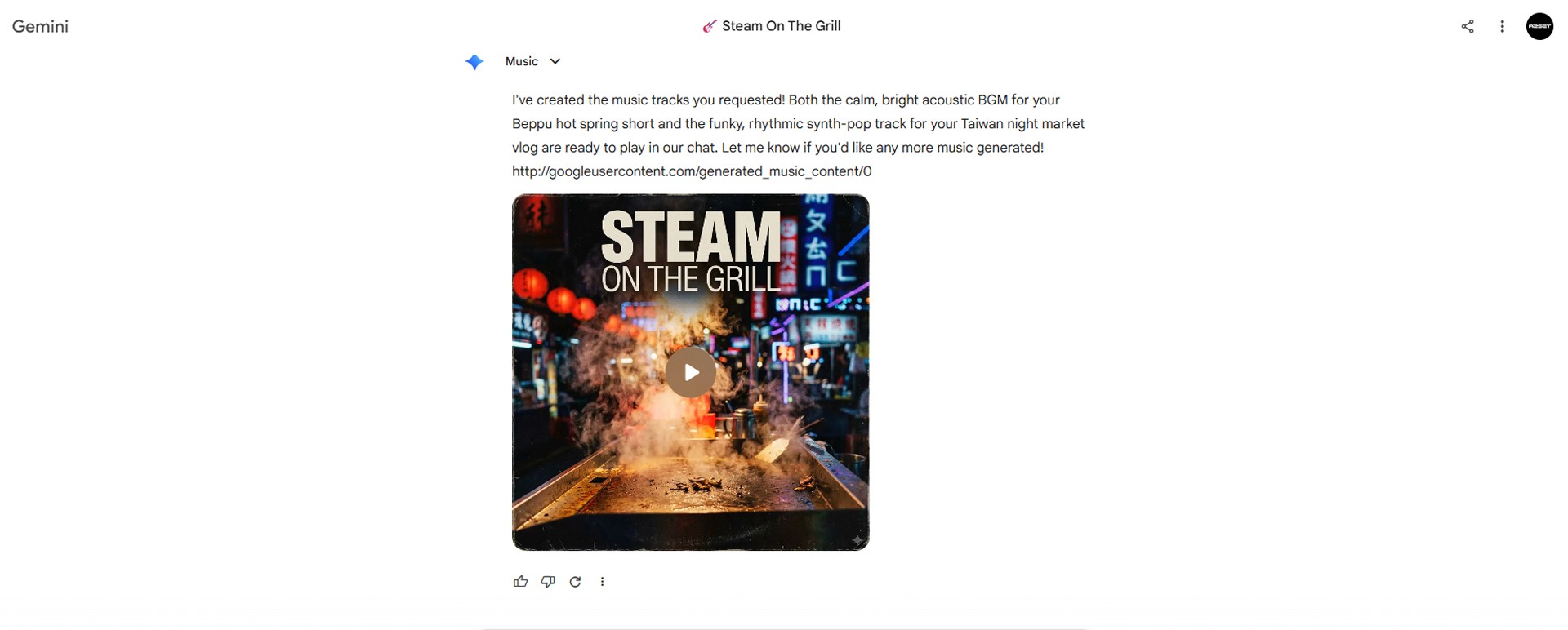
Image caption: After generation, listen to the track inside Gemini and download it if it fits your video.
Once the audio player appears, click the play button and listen from beginning to end.
Check whether the track fits your video.
Does the mood match the scene?
Is the tempo too fast or too slow?
Does the intro start quickly enough?
Does the track feel usable for Shorts or Reels?
Is there a strong beat or transition point you can edit to?
If the result works, use the download button to save the file to your computer or phone.
If the mood is close but not quite right, adjust the prompt and try again.
For example, you can ask:
Or:
Small prompt changes can create a very different result, so test a few versions before choosing the final track.
Step 4: Apply the BGM in Your Editing Software
After downloading the music, import it into your editing software.
You can use tools such as CapCut, Premiere Pro, DaVinci Resolve, Final Cut Pro, or any editor you prefer.
Place the BGM under your video timeline.
Then listen for the strongest beats, rhythm changes, or emotional moments in the music.
If your video has cuts, zooms, transitions, captions, or product close-ups, try matching those visual moments to the beat.
This can make a simple short-form video feel more polished without adding complicated effects.
For example:
Use a beat drop for a scene change.
Use a soft melody section for emotional moments.
Use a fast rhythm for night market or city content.
Use acoustic guitar for warm travel or family content.
The music does not need to be loud. In most Shorts and Reels, BGM works best when it supports the video instead of overpowering it.
A2SET Workflow Notes
For short-form content, the best BGM is not always the most impressive track.
The best BGM is the one that supports the video.
A travel vlog may need something warm and light.
A product teaser may need something clean and modern.
A night market video may need something energetic and rhythmic.
A calm lifestyle video may need something soft and minimal.
Before generating music, decide the feeling of the video first.
Then write the prompt around that feeling.
If you are not sure what to write, start with these four elements:
video situation,
emotion,
genre,
instrument.
For example:
This gives the AI a clear direction without making the prompt too complicated.
Common Issues and Simple Fixes
If the track feels too generic, add more scene details.
If the track is too slow, add:
If the track is too intense, add:
If the track does not match your video, describe the actual scene more clearly.
If you need music for captions or voiceover, add:
Responsible Use Notes
AI-generated music can be very useful, but you should still use it carefully.
Do not ask the AI to copy a specific artist, song, melody, or copyrighted track.
Do not use existing lyrics without permission.
Do not claim that an AI-generated track was composed or performed by a real musician.
Do not assume every generated track is automatically cleared for all commercial uses.
Before using the track in monetized content, advertising, client work, or commercial projects, check the current terms and usage rights of the platform you used to generate it.
Also remember that Gemini-generated audio may include SynthID, Google’s watermark for identifying AI-generated content.
For professional work, keep a simple production record.
Save the prompt, generation date, downloaded file, editing project, and final usage purpose. This makes it easier to manage the content later if you use it for a brand, client, or public campaign.
Conclusion
Finding the right BGM for Shorts and Reels can take a lot of time.
Gemini’s Lyria 3 music generation tool gives creators a faster way to test custom background music by describing the mood, genre, instruments, and video situation in text.
In this tutorial, we activated the Making music tool, wrote a simple BGM prompt, generated a short track, listened to the result, downloaded it, and applied it inside editing software.
The result may not be perfect every time, and commercial use should always be checked against current platform terms. But as a creator workflow, this can be a practical way to quickly test music ideas for short-form content.
Start with a clear video mood.
Write a simple prompt.
Generate a few versions.
Choose the one that supports the edit.
Then match your cuts and transitions to the music.
That is how AI music becomes more useful as part of a real content production workflow.
We will return in the next A2SET tutorial with more practical AI workflows for creators, designers, and small production teams.
Quick FAQ
Can I create BGM with Gemini?
Yes. If the Making music feature is available in your Gemini account, you can generate short music tracks using text prompts.
Does Lyria 3 only make instrumental music?
It can generate music based on your prompt, and Google describes Lyria 3 as supporting more control over style, vocals, and tempo. For simple Shorts BGM, instrumental-style prompts are usually easier to use.
Can I use the generated BGM commercially?
Do not assume it automatically covers every commercial use. Check the current Gemini, Google, or relevant platform terms before using the music in monetized videos, ads, or client projects.
What prompt should I start with?
Start with this formula: video situation, mood, genre, instruments, and 30-second BGM.
What if the music does not match my video?
Adjust the prompt with more specific mood, tempo, instruments, and scene details. You may need several generations to find the right version.
What editing software can I use?
You can use CapCut, Premiere Pro, DaVinci Resolve, Final Cut Pro, or any editor that supports audio import.
Should I mention a real artist in the prompt?
It is safer not to. Describe the general genre, mood, tempo, and instruments instead of asking the AI to copy a specific artist or song.