Create an AI Influencer UGC Ad with Gemini Omni Agent
Hello creators, welcome back to A2SET’s AI Tutorial.
One of the most searched and talked-about topics in AI video right now is AI influencer content.
Brands, creators, and small teams are interested in creating short product videos, UGC-style ads, social media reviews, unboxing clips, and product demo videos without setting up a full production shoot.
But making an AI influencer ad is not just about generating a good-looking person.
The harder part is making the influencer feel believable.
Who is this character?
How do they speak?
What kind of camera setup are they using?
How do they introduce the product naturally?
How do we make the ad feel like UGC instead of a polished commercial?
That is where Google Flow Agent can be useful.
Google describes Flow Agent as a creative partner that can plan and reason through complex tasks with your inputs while staying under your control. Flow Agent is designed to help with early brainstorming, creating, and editing. Gemini Omni is also described as a model that can turn references such as images, text, video, or audio into one cohesive output, starting with video.
In this tutorial, we will use Gemini Omni and Google Flow Agent to plan a 15-second AI influencer UGC ad.
The example product is a fictional beauty serum called Glow Drop Serum by Luma Dew.
The final goal is a vertical 9:16 short-form ad where an AI influencer naturally introduces the product in a bright skincare routine setting.
The mood should feel clean, natural, friendly, and believable.
We will avoid exaggerated beauty claims, medical claims, fake before-and-after results, or anything that makes the product sound like a treatment.
The important idea is this:
Do not ask the Agent to “make a video” right away.
Use the Agent to plan the production first.
Then turn that plan into assets, prompts, revisions, and a final checklist.
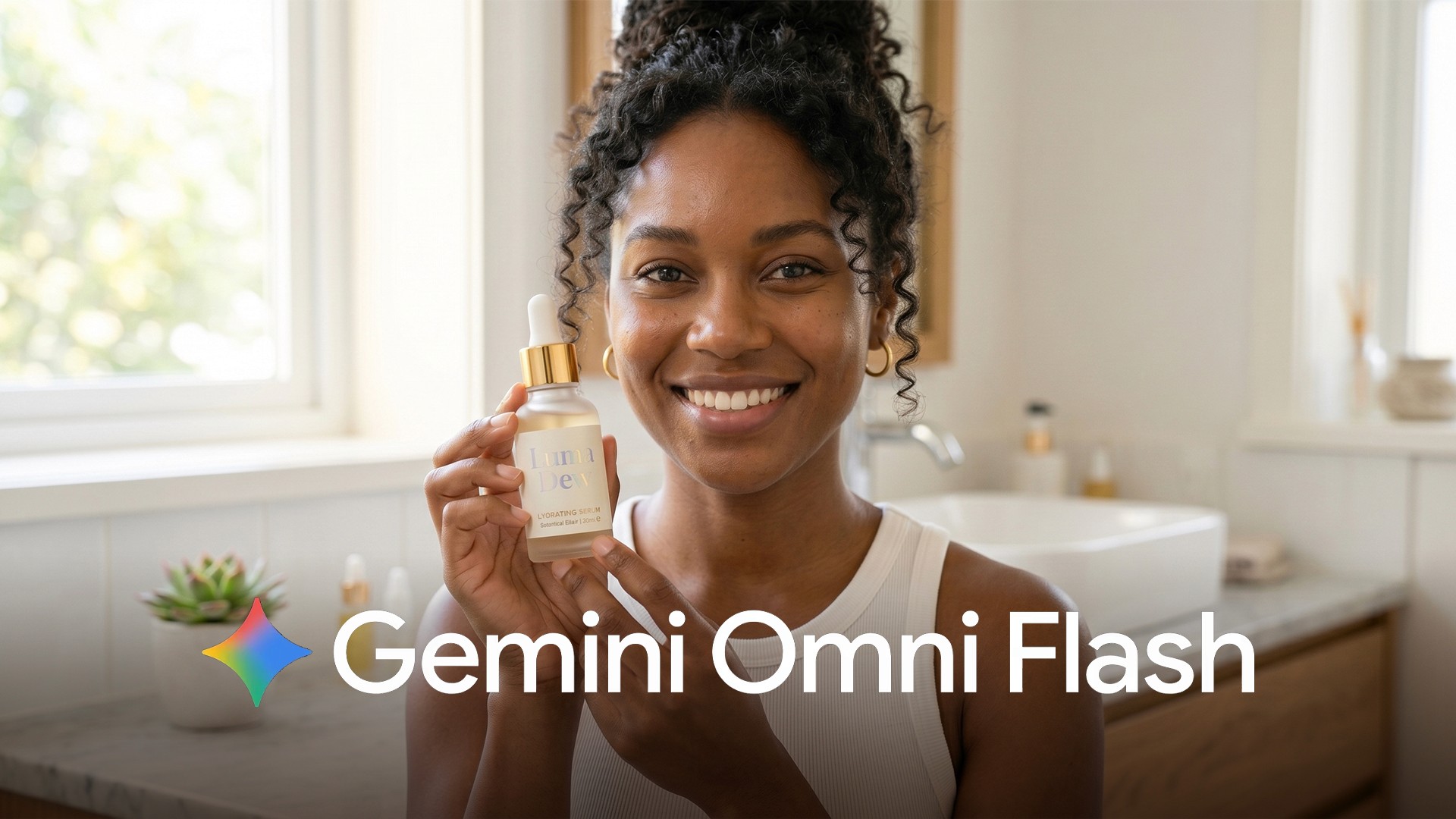
Image caption: Gemini Omni Agent can help structure an AI influencer UGC ad workflow from product brief to shot list, asset plan, video prompt, and final review.
Step 1: Think of the Agent as an AI Ad Production Manager
The first thing to understand is the role of the Agent.
The Agent is not just a prompt writer.
It is more useful when you treat it like a creative production manager.
For an AI influencer UGC ad, the Agent can help with:
product message
AI influencer character direction
15-second ad structure
shot list
required assets
Omni Flash video prompt
revision prompt
final review checklist
short ad copy
The Agent should not replace your judgment.
You still need to check brand tone, product accuracy, advertising claims, rights, and whether the final result is safe to use.
For this tutorial, we will use the Agent to organize the workflow before generating the final video.
That makes the process more stable.
Step 2: Write the Project Brief
To get useful output from the Agent, you need to give it a clear project brief.
For this tutorial, the product is fictional.
Brand: Luma Dew
Product: Glow Drop Serum
Format: AI influencer UGC ad
Length: 15 seconds
Ratio: 9:16 vertical
Mood: bright, natural, clean, soft, friendly, premium
Setting: bathroom mirror, bedroom vanity, or skincare shelf
Goal: natural product introduction by an AI skincare creator
Use this prompt to start.
Prompt to use:
The most important line is:
Before generating anything
This tells the Agent to plan first.
If you jump directly into video generation, the result may look interesting, but the structure can easily become messy.
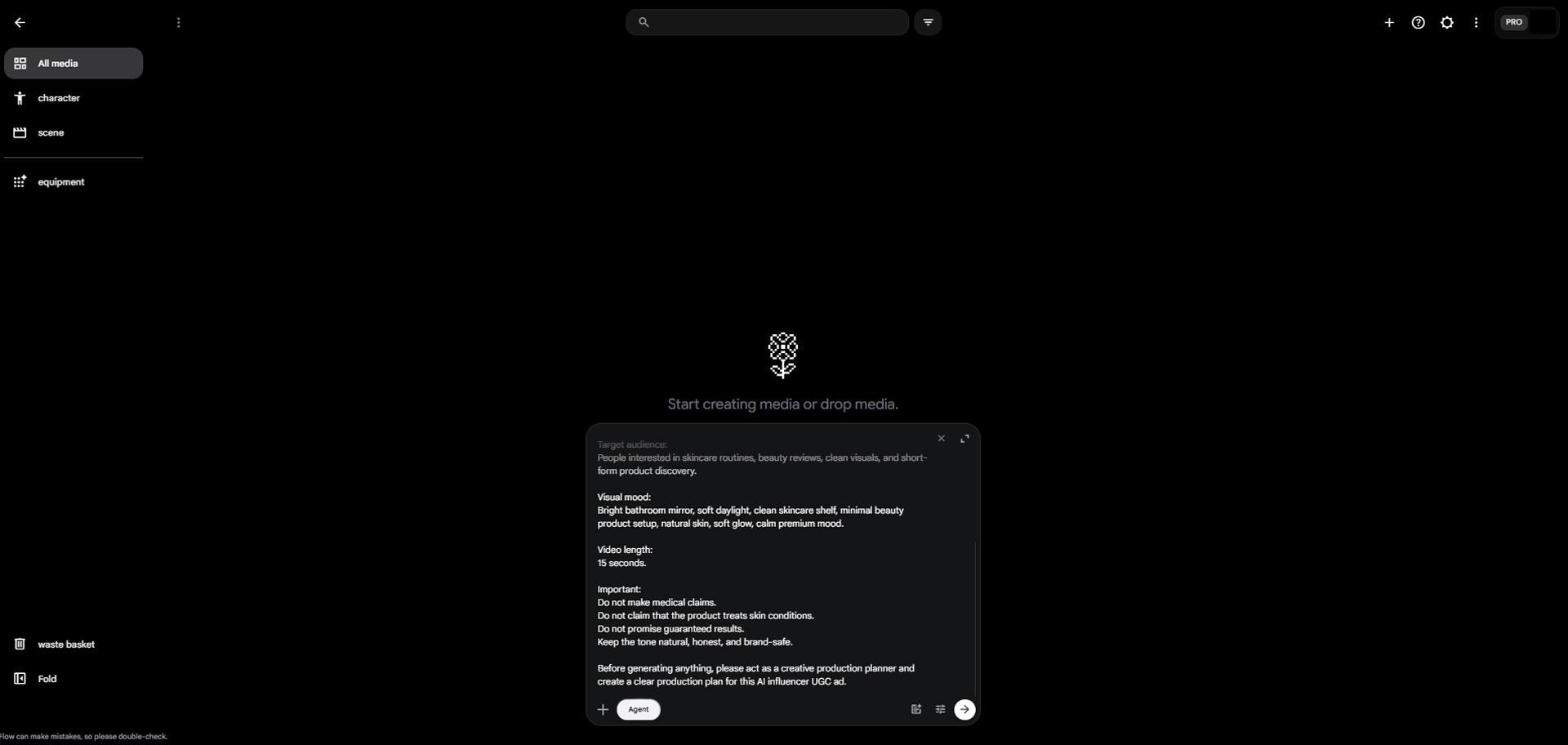
Image caption: A clear project brief helps the Agent understand the product, influencer style, target audience, format, and safety limits before planning the ad.
Step 3: Ask the Agent to Create a Production Plan
After the brief, ask the Agent to create a detailed production plan.
This should not be just a list of ideas.
It should include the actual production logic.
Prompt to use:
The most useful part here is Recommended order of creation.
AI video production works better when the steps are clear.
For example, if the product image is not stable, the serum bottle may change between shots.
If the influencer identity is not defined first, the face can drift across scenes.
If the shot list is too complex, the video may feel unnatural.
The Agent helps you organize the production before you start generating.
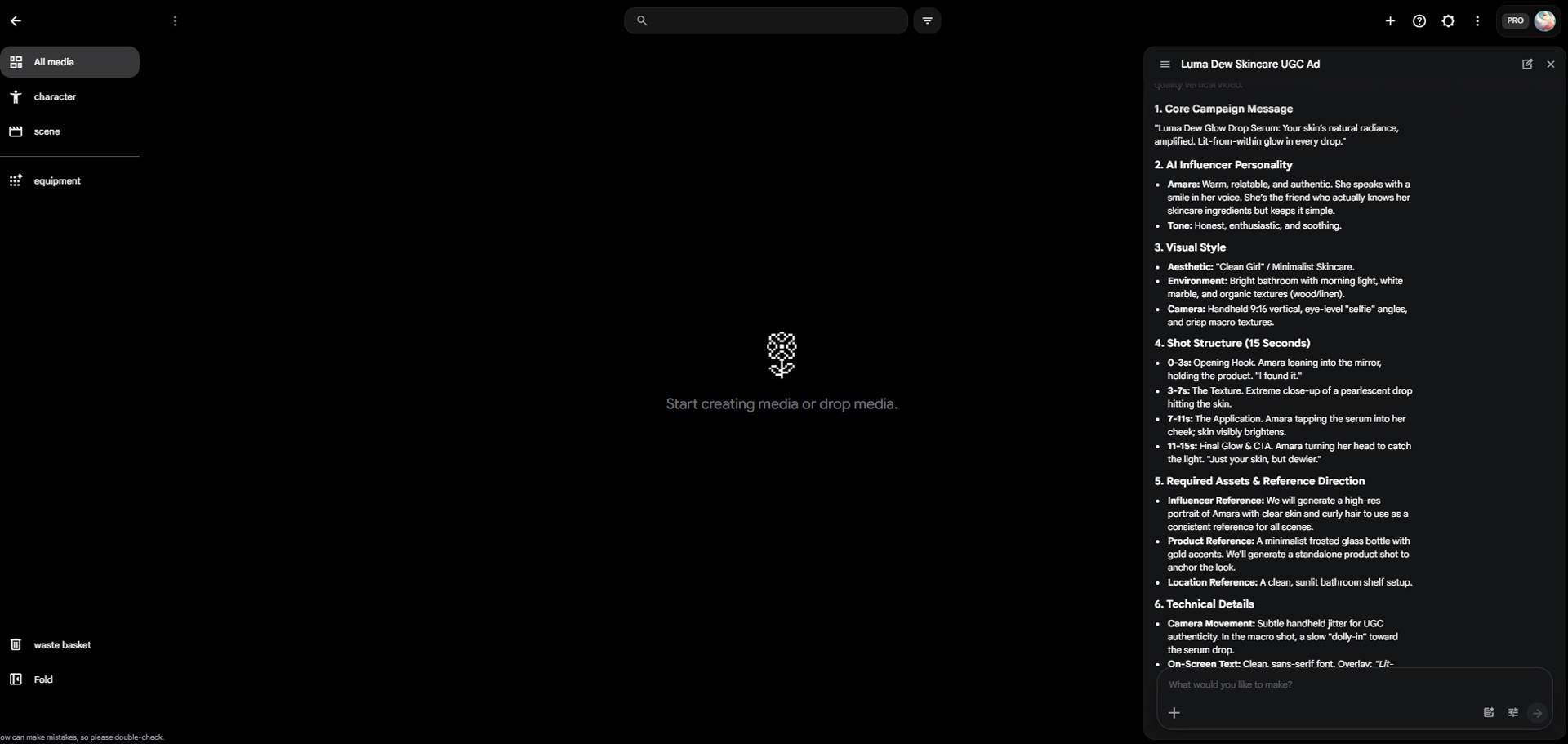
Image caption: A production plan helps turn a broad AI influencer ad idea into a practical sequence of character, product, shot, and prompt steps.
Step 4: Define the AI Influencer Character
For AI influencer UGC ads, the influencer is one of the most important parts of the project.
The influencer should not feel like a random model.
They should feel like a believable skincare creator.
They do not need to look like a celebrity.
In fact, it is better to avoid celebrity references.
Ask the Agent to define the character direction.
Prompt to use:
This step helps make the influencer more consistent.
Instead of “a pretty person holding a serum,” we now have a believable creator profile.
That makes the final video feel more natural.
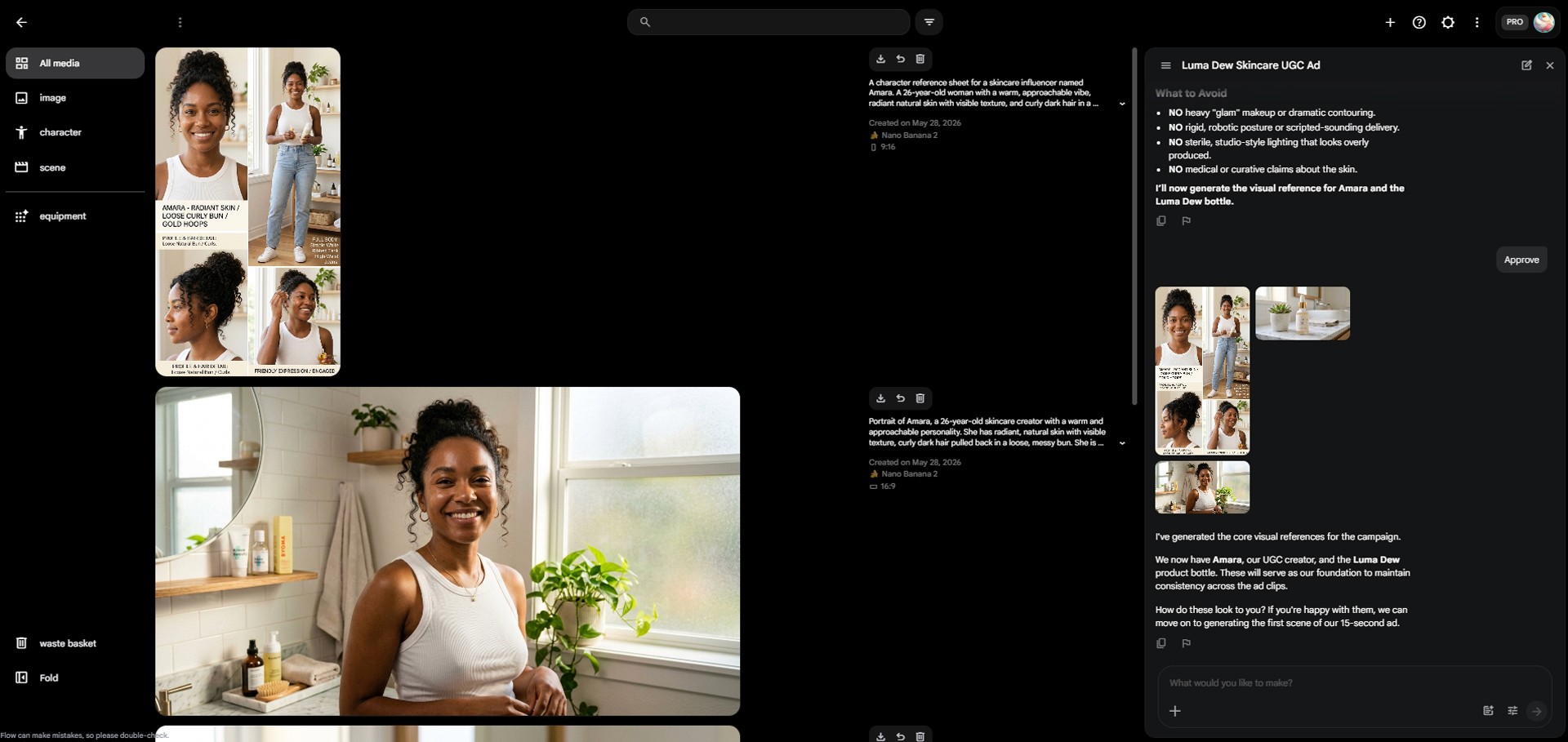
Image caption: A believable AI influencer needs personality, filming context, speaking tone, and visual consistency before video generation.
Step 5: Create a 15-Second UGC Shot List
Now turn the concept into a shot list.
A 15-second UGC ad should be simple.
A useful structure is:
0-3s: hook
3-7s: product introduction
7-11s: product texture or routine moment
11-15s: final product moment and CTA
Ask the Agent to create the shot list.
Prompt to use:
That last line is important.
AI video can struggle when one shot contains too many actions.
Face, hands, product, camera movement, text, and background action can become unstable if everything happens at once.
Keep each shot simple.
Step 6: Build the Asset List
Now ask the Agent to list all required assets.
This helps you separate what should be generated first from what can be added later in editing.
Prompt to use:
For this project, the asset list may include:
product bottle image
AI influencer face or upper-body reference
bright bathroom or vanity background
combined key visual of influencer holding the product
thumbnail frame
short on-screen copy
final CTA text
Do not try to solve everything inside the video generation step.
Exact text, discount copy, legal disclaimers, and final CTA overlays are often safer to add later in an editing tool.
Step 7: Create Product and Influencer Reference Prompts
Now ask the Agent to create prompts for the assets.
We need prompts for:
the product image
the AI influencer reference
the combined key visual with the influencer holding the product
Prompt to use:
The combined key visual is especially useful.
If you want the product and influencer to stay connected in the final video, it helps to have one reference image where both appear together.
If the product image and influencer reference are too disconnected, the video may feel less consistent.
Step 8: Create the Final Omni Flash Video Prompt
Now we move to the video stage.
Gemini Omni is described by Google as a model that can turn references such as image, text, video, or audio into a single cohesive output. It is also positioned as a multimodal model for video generation and editing.
Ask the Agent to create the final Gemini Omni Flash prompt.
Prompt to use:
Then paste the Agent’s final prompt into Omni Flash.
For the first generation, use a small test.
Recommended settings:
video
Assets
9:16
x1
Omni Flash
8s or 10s
Even if the final goal is 15 seconds, it is safer to test with 8 or 10 seconds first.
Check whether the face, product, hand movement, and camera style are stable.
If the result looks good, then extend the structure toward 15 seconds.
Image caption: Agent can turn the full UGC concept into a Gemini Omni Flash prompt with timeline, influencer action, product moment, and consistency rules.
Step 9: Ask the Agent for a Revision Strategy
After the first generation, do not treat the result as final.
AI influencer UGC videos often have issues.
Common problems include:
the face changes slightly
the product bottle changes
the hand movement looks awkward
the camera feels too polished
the video does not feel like UGC
the product moment is unclear
the product label becomes blurry
the beauty claim feels too strong
Describe what you see and ask the Agent to create a revised prompt.
Prompt to use:
This is one of the most useful parts of using the Agent.
It can turn your observations into a more controlled revision prompt.
Do not fix everything at once.
Start with the biggest problem.
Step 10: Create Variation Prompts
Once one version starts working, create variations.
Do not make random variations.
Ask the Agent to create controlled versions.
For example:
Version A: morning skincare routine
Version B: get ready with me
Version C: texture-focused product close-up
Version D: simple creator review
Prompt to use:
This makes testing much more useful.
Each version has a different purpose.
One version can focus on routine.
Another can focus on product texture.
Another can feel more like a direct creator review.
Image caption: Variation prompts help test different UGC ad angles while keeping the influencer and product identity consistent.
Step 11: Create the Final Review Checklist
When the video is close to finished, ask the Agent for a final checklist.
Prompt to use:
This is especially important for AI influencer content.
The video may look realistic.
Viewers may assume the person is real.
So you need to check whether the video could be misunderstood as a real customer testimonial.
You also need to check whether the product claims are safe.
Step 12: Create Ad Copy and Thumbnail Text
Finally, ask the Agent to create short text options.
Do not rely on AI video generation to render exact text perfectly.
Letters can break or distort inside generated video.
It is usually better to add final text later in an editing tool.
Prompt to use:
Good examples might look like:
My 10-second glow routine
A tiny drop, a fresh finish
Dewy-looking skin, simple routine
Meet Glow Drop Serum
Soft glow, no heavy routine
Keep the copy short.
Short-form videos do not need long text.
Too much text can cover the product and weaken the video.
Step 13: What the Agent Actually Does in This Workflow
In this tutorial, the Agent handled many production tasks.
It helped organize the product brief.
It created the AI influencer direction.
It built the production plan.
It created the 15-second shot list.
It organized the required assets.
It created prompts for product, influencer, and key visual references.
It created the Omni Flash video prompt.
It turned first-generation problems into a revision prompt.
It created variation prompts.
It created the final review checklist.
It created short copy and thumbnail text.
This is the real value of the Agent.
It is not just writing one prompt.
It is helping manage the whole production workflow.
Common Issues and Simple Fixes
If the Agent gives generic answers, provide a more specific product name, target audience, mood, video length, ratio, and safety limits.
If the video prompt becomes too long, ask the Agent to “make it shorter and more direct for Omni Flash.”
If the shot list becomes too complex, ask the Agent to “reduce the number of actions and keep each shot simple.”
If the influencer face changes, add “keep the influencer’s face, hairstyle, wardrobe, and identity consistent.”
If the product bottle changes, repeat “preserve the exact bottle shape, label placement, and product identity.”
If the hand movement looks awkward, simplify the action and focus on holding the product rather than applying it.
If the camera feels too polished, add “make it feel like a real creator filmed it with a phone.”
If the result looks too much like a luxury commercial, add “less polished, more natural UGC style.”
If the beauty language feels exaggerated, add “avoid medical claims and guaranteed results.”
If the Agent tries to generate too quickly, clearly say “do not generate yet, plan first.”
Responsible Use Notes
Gemini Omni and Google Flow Agent can help create and plan AI influencer UGC ads quickly.
But generated content still needs human review.
Use only product images, logos, labels, characters, audio, and reference images that you have the right to use.
AI influencers are not real customers.
Do not make the content look like a real customer testimonial unless that is clearly disclosed and legally allowed.
For skincare products, avoid medical claims, skin condition treatment claims, guaranteed results, and exaggerated before-and-after language.
Avoid phrases like:
treats acne
removes wrinkles
guaranteed results
perfect skin instantly
Use softer language instead:
dewy-looking finish
fresh skincare routine
soft glow
lightweight daily serum
Google also explains that Flow credits and generation costs can vary depending on the selected model and settings, so users should check the active model and current credit cost before generating.
Conclusion
In this tutorial, we used Gemini Omni and Google Flow Agent to create a practical AI influencer UGC ad workflow.
The example product was Glow Drop Serum by the fictional beauty brand Luma Dew.
The important lesson is simple.
Do not use the Agent like a basic chatbot.
Use it like a production partner.
The workflow is:
write the brand and product brief
ask the Agent for a production plan
define the AI influencer character
create a 15-second UGC shot list
organize required assets
create product, influencer, and key visual prompts
build the final Omni Flash prompt
review the first result
ask the Agent for revision prompts
create controlled variations
make a final checklist
prepare ad copy and thumbnail text
When used this way, Gemini Omni becomes more than a video generation model.
It becomes part of a larger AI ad production workflow.
Good AI video does not usually come from one vague prompt.
It comes from a strong brief, a clear production order, focused assets, controlled revisions, and a final human review.
We will return in the next A2SET tutorial with more practical AI workflows for creators, brand builders, marketers, and small teams.
Quick FAQ
What is this tutorial about?
This tutorial shows how to use Gemini Omni and Google Flow Agent to plan an AI influencer UGC ad for a fictional skincare product.
Why is AI influencer UGC a strong topic?
It naturally connects high-interest keywords such as AI influencer, UGC ad, AI video ad, Google Flow, Gemini Omni, and short-form product content.
What is the difference between Gemini Omni and the Agent?
Gemini Omni is used for video generation and editing. The Agent helps plan, organize, revise, and structure the creative workflow around that generation process.
Should I generate the video immediately?
It is better to plan first. Ask the Agent for a production plan and shot list before moving into video generation.
How do I keep the AI influencer consistent?
Use a clear reference and repeat consistency instructions such as “keep the influencer’s face, hairstyle, wardrobe, and identity consistent.”
How do I keep the product bottle consistent?
Use a product reference and repeat “preserve the exact bottle shape, label placement, and product identity.”
Can I use the result in a real ad?
It depends on the output and rights involved. Check product accuracy, logo usage, model or character rights, advertising claims, platform policies, and commercial use conditions before publishing.