Create Your Own Virtual Influencer 15-Second Cinematic CF with Enhancor
Hello creators, welcome back to A2SET’s AI Tutorial.
Imagine you have a product to promote.
It could be cosmetics, a beverage, an electronic device, a fashion item, or a small brand product that needs a short commercial video.
In a traditional production workflow, even a 15-second commercial can require a model, location, camera setup, lighting, styling, editing, sound design, and post-production. For individual creators and small business owners, that process can feel difficult to start.
In this tutorial, we will use Enhancor to test a more accessible AI commercial workflow.
The idea is simple.
First, we create a virtual influencer reference pack.
Then, we upload a product image.
After that, we combine both through a Multi-Reference video workflow.
Finally, we generate a short cinematic commercial scene.
For this example, we will create a 15-second cinematic ad where a virtual influencer drinks orange juice in a hot desert environment.
This does not mean the result will be perfect every time. AI video can still create small issues with hands, product shape, face consistency, physics, or timing. However, with a clear reference pack and a well-structured directing prompt, the result can become much more controlled than a simple text-only prompt.
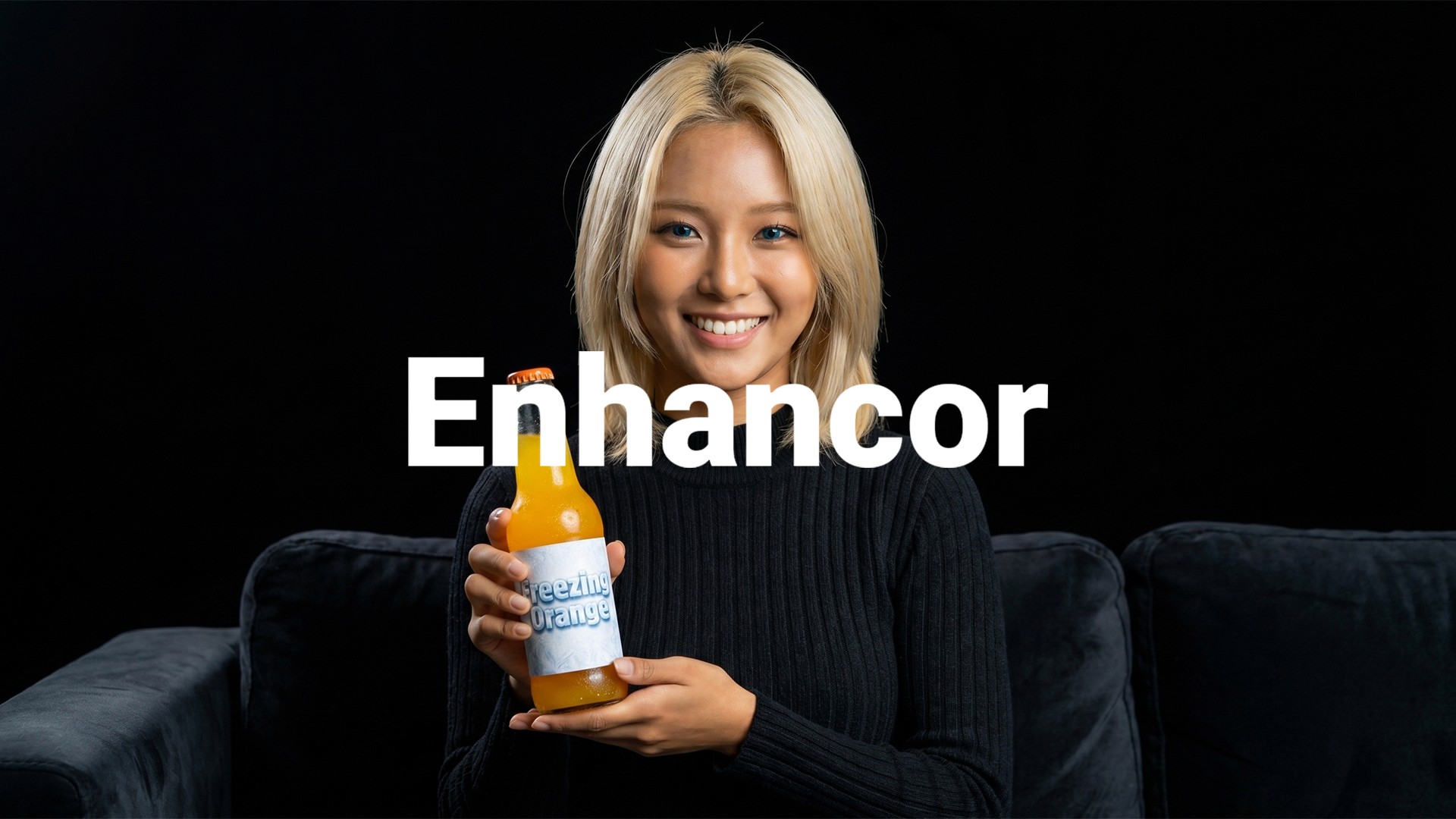
Image caption: This workflow uses a virtual influencer reference pack and a product image reference to create a short cinematic AI commercial.
Before You Start: Check Your Plan and Features
Before starting, check your current Enhancor plan and available features.
AI video generation, high-resolution export, watermark removal, upscaling, commercial usage, and model availability may depend on your plan and current platform policy.
In the original workflow, plan options such as Basic, Creator, Professional, and Enterprise are mentioned. Pricing and credit allocations can change over time, so always check the current pricing page before using the result for commercial work.
Before publishing a final video, check the available video models, Multi-Reference support, credit cost, export resolution, watermark policy, 4K or upscale options, commercial usage terms, and monthly generation limits.
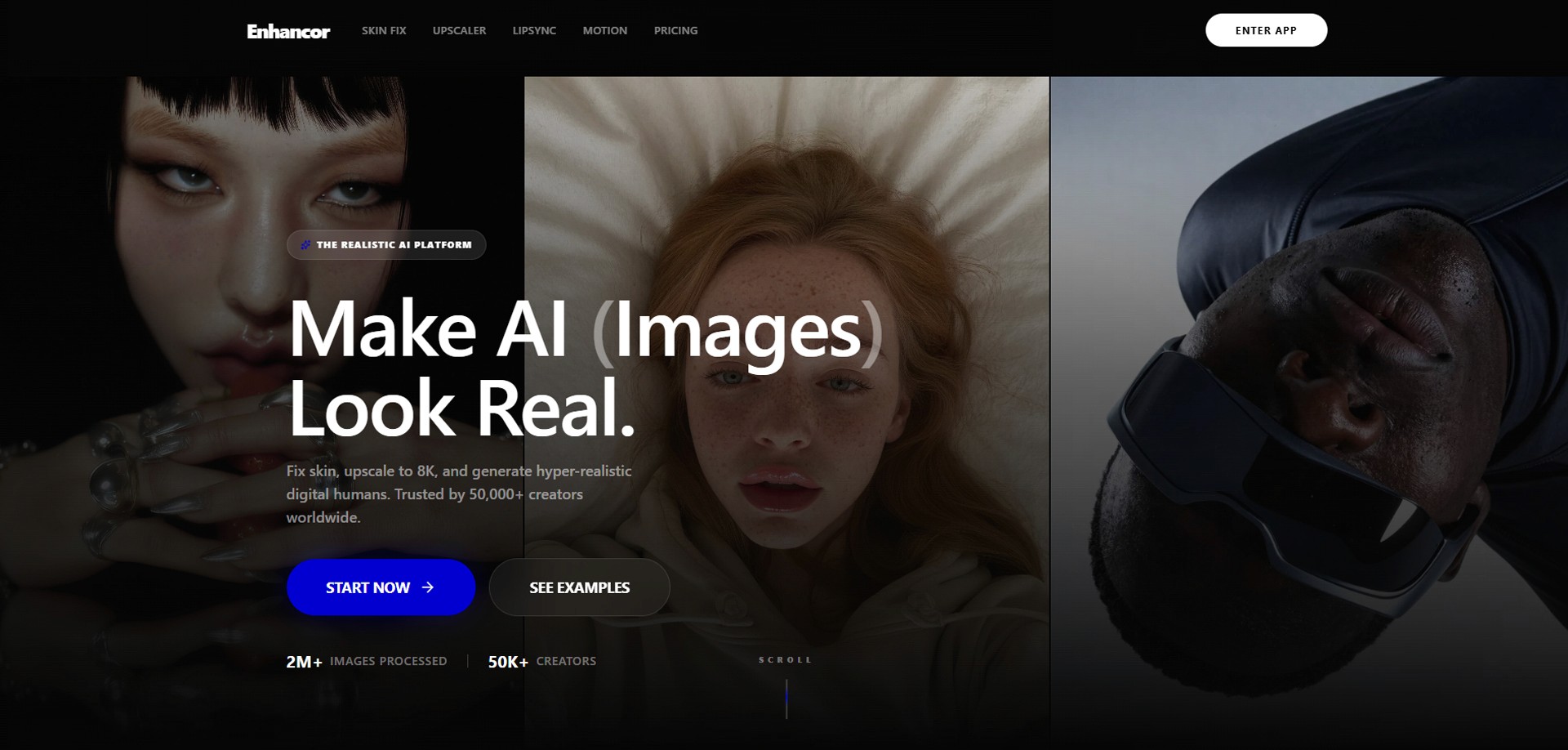
Image caption: Before generating a commercial-style AI video, check your current plan, credit, export, and commercial usage conditions.
Step 1: Casting — Build Your Virtual Influencer Reference Pack
To create a more consistent AI commercial, start by preparing the virtual influencer.
If you use only one front-facing portrait image, the face may change when the character moves, turns, or appears from a different camera angle.
That is why this workflow first creates a small set of reference images.
The goal is to give the AI more information about the character’s face, side profile, full body, and facial details before moving into video generation.
Go to Enhancor and open the Image Editor tab.
Use your base virtual influencer image, then create the following reference images one by one.
Create a Character Sheet
Prompt:
This creates a basic turnaround reference.
The purpose is to show the same character from multiple angles, so the AI can better understand the face, head shape, hairstyle, and overall identity.
Create a Full Body Shot
Prompt:
This helps the AI understand the character’s body proportions, outfit, posture, and overall silhouette.
Create a Detailed Face Close-Up
Prompt:
This step focuses on the character’s facial details. The eyes, nose, lips, skin texture, and expression are important for maintaining identity in a cinematic video.
Create Side Profile Images
Prompt:
Side profiles are useful because commercial videos often include camera movement, head turns, or three-quarter angles.
Create a Feature Grid
Prompt:
This creates a detail reference grid. It helps define specific facial features and can support consistency in close-up shots.
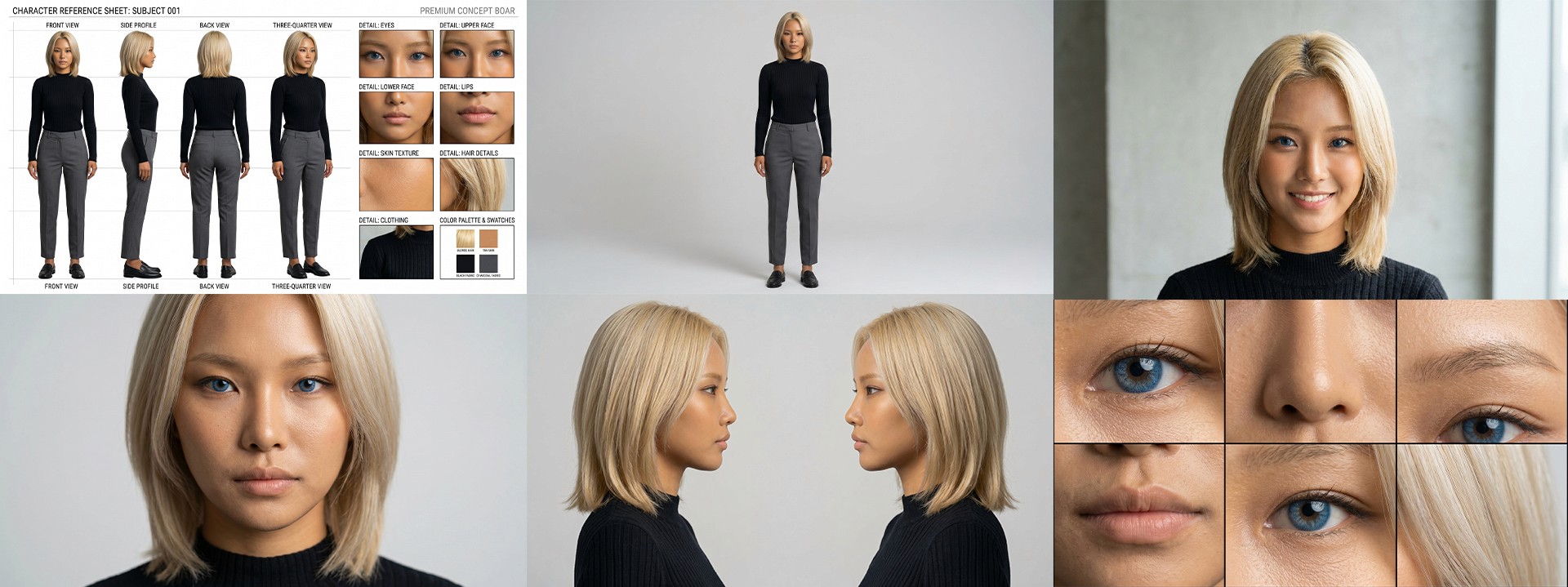
Image caption: The final reference pack should include character rotation, full body, facial close-up, side profiles, and feature details.
Think of this step as AI casting preparation.
You are not just creating a good-looking image. You are building a reference set that helps the model understand the virtual influencer more clearly.
This does not guarantee perfect consistency, but it usually gives the video model more useful visual information than a single image.
Step 2: Shooting — Combine Product and Model in Image to Video
After preparing the virtual influencer reference pack, move into the video generation step.
In this example, the product is an orange juice bottle or can, and the scene is a cinematic desert commercial.
The purpose is to make the uploaded product and the virtual influencer appear together in one short video.
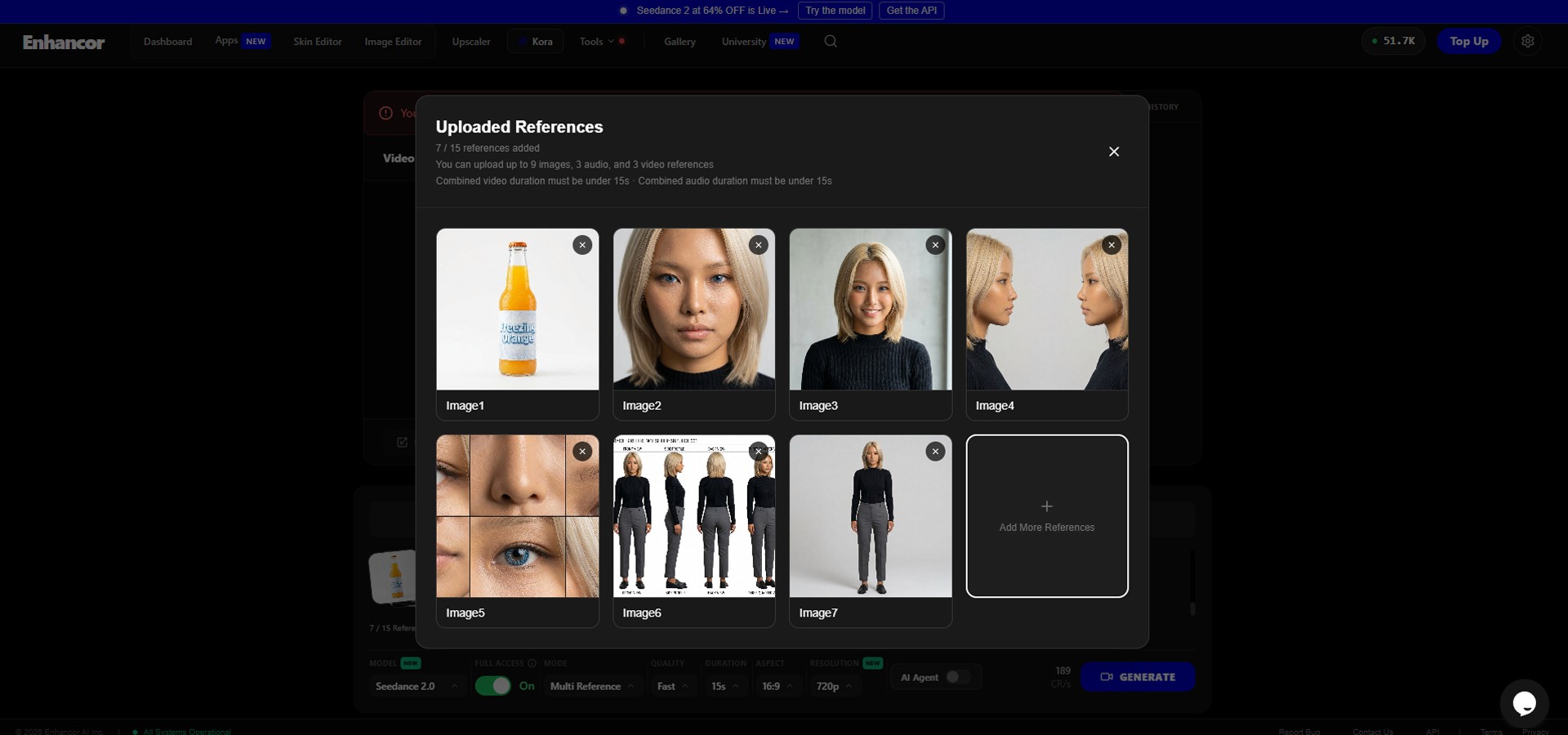
Image caption: Upload the product image and virtual influencer references together in the video generation workflow.
Go to the Video Generator tab, or open Apps → Image to Video if that is how the interface is organized in your account.
Then find the Multi-Reference upload area.
Upload your orange juice product image first.
Then upload the virtual influencer reference images created in Step 1.
After uploading the references, set the model to Seedance 2.0 if it is available in your Enhancor account.
Recommended setup:
Each reference should have a clear role.
The product image should guide the shape, color, and packaging of the orange juice.
The character reference pack should guide the virtual influencer’s face, hair, outfit, and identity.
If the final video changes the product too much, use a clearer product image or add a stronger product consistency instruction in the prompt.
If the character face changes, strengthen the identity and reference instructions.
Step 3: Write the 15-Second CF Directing Prompt
Now it is time to write the directing prompt.
For a short commercial, the prompt should guide not only the scene, but also the camera, lighting, environment, product action, audio, and timeline.
Instead of writing a vague prompt like “make a cinematic orange juice commercial,” it is better to write the prompt like a short production cue sheet.
Practical CF Directing Prompt:
For commercial-style AI video, the timeline is important.
The timeline gives the model a clearer path: opening shot, heat and problem setup, product reveal, product usage, refreshing result, and final hero shot.
This makes the video feel more like a planned commercial instead of a random scene.
Step 4: Generate the Video
Once your references and prompt are ready, click Generate.
AI video generation may take some time depending on the model, resolution, platform load, and your account plan.
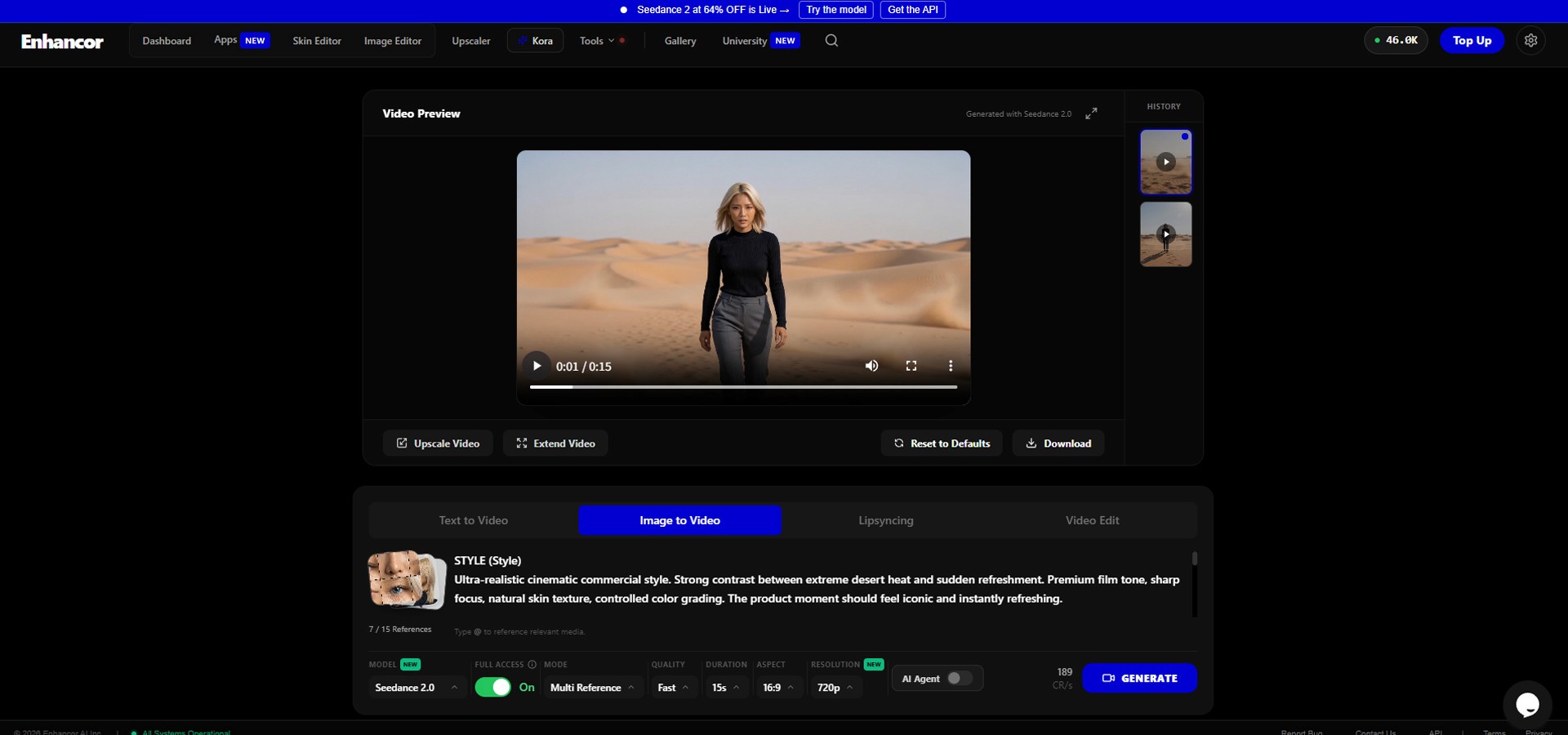
Image caption: After uploading references and entering the directing prompt, generate the first 15-second AI commercial test.
When the video is ready, play it from beginning to end.
In this workflow, the expected structure is simple.
0–5 seconds: hot desert atmosphere, heat haze, and sweat detail.
7–11 seconds: product reveal and drinking action.
11–15 seconds: cool breeze, refreshed mood, and final hero shot.
The result may not match every detail perfectly, but the key is to check whether the video communicates the intended commercial story.
Step 5: Review the Result
Do not only check whether the result looks visually impressive.
For a product commercial, the important question is whether the video is usable.
Image caption: Review the generated commercial for character consistency, product accuracy, motion quality, and audio timing.
Check whether the virtual influencer stays consistent, whether the face changes during movement, whether the hair and outfit remain stable, and whether the hands look natural when holding the product.
Also check whether the orange juice product keeps its shape, whether it is visible at the key moment, whether the label area remains stable enough, and whether the product still looks like the uploaded reference.
Then review the commercial story.
Does the desert feel hot and dry at the beginning?
Is the product reveal clear?
Does the drinking action make sense?
Does the ending feel refreshing?
Does the final hero shot communicate the product well?
Finally, check the audio.
The wind, footsteps, product opening sound, drinking sound, breeze, and voiceover should support the scene without feeling too busy.
Common Issues and Simple Fixes
If the virtual influencer face changes, add this line:
If the product changes shape, add this line:
If the hand looks unnatural while holding the product, add this line:
If the video does not feel cinematic enough, add this line:
If the audio feels too busy, add this line:
Why This Workflow Is Useful for Product Videos
This workflow is useful because it separates the commercial production process into clear parts.
The character reference pack handles the virtual model.
The product image handles the product identity.
The directing prompt handles the story, camera, lighting, and audio.
The final review checks whether the result is usable.
This can be helpful for small brands and creators who want to test a video idea before planning a real shoot.
You can replace the orange juice with another product, such as coffee, perfume, skincare, headphones, a smartphone, fashion items, or packaged food.
You can also replace the desert with another environment, such as a city street, luxury bathroom, tropical beach, modern studio, or rainy night scene.
The important part is to keep the product, character, and story clear.
Responsible Use Notes
AI commercial generation can be useful, but it should be used responsibly.
Do not use someone’s real face or likeness without permission.
Do not use copyrighted characters or protected brand designs without rights.
Do not present an AI-generated virtual influencer as a real customer testimonial if that is not true.
Do not make product claims that you cannot support.
For commercial projects, check the usage terms of the AI tools you use, including commercial rights, watermark policy, model restrictions, and export limitations.
It is also useful to keep a simple production record: product image source, virtual influencer reference images, prompts used, generated video versions, final selected output, editing notes, and usage rights.
This helps keep the workflow organized if you later use the video for a brand, client, or public campaign.
Conclusion
Creating a 15-second commercial used to require a full production process.
You needed a model, location, crew, camera, lighting, editing, sound design, and post-production.
With AI tools like Enhancor and Multi-Reference video generation, creators can now test commercial concepts much faster.
In this workflow, we created a virtual influencer reference pack, uploaded an orange juice product image, used Seedance 2.0 for video generation, and wrote a structured 15-second directing prompt.
The result is not guaranteed to be perfect, and it should always be reviewed carefully before publishing. However, this approach can be a practical way to test product videos, campaign concepts, and short-form commercial ideas.
Start with a clear product image.
Build a strong virtual influencer reference pack.
Use Multi-Reference carefully.
Write the prompt like a short commercial storyboard.
Then review the character, product, audio, and final story before using the result publicly.
That is how AI video becomes more useful as a real creative workflow.
We will return in the next A2SET tutorial with more practical AI workflows for creators, designers, and small production teams.
Quick FAQ
Can I create a commercial-style video with only one product image?
Yes. A clean, front-facing, easy-to-recognize product image can work well as a starting point. For complex products, additional reference images may help.
Why create multiple virtual influencer reference images?
Multiple references can help the video model understand the character’s face, body, side profile, and features more clearly than a single portrait.
Does Multi-Reference guarantee perfect consistency?
No. It can improve guidance, but AI video can still change faces, hands, products, or details. Always review the final result carefully.
Can I replace the orange juice with another product?
Yes. You can adapt the workflow for coffee, perfume, skincare, electronics, fashion, or other products. Update the product image and prompt accordingly.
Can I change the desert background?
Yes. You can replace the desert with a location that fits your product, such as a studio, beach, city street, bathroom, or luxury interior.
Should I use the result directly as an ad?
Only after reviewing the quality, usage rights, product accuracy, and platform policy. For paid advertising, make sure the final video does not include misleading claims or unauthorized likenesses.
Can this workflow create audio and voiceover too?
If the selected model and platform support audio generation, you can include audio direction and voiceover in the prompt. Availability may depend on the current model, plan, and platform settings.