Create a Coffee Brand Content Campaign with Higgsfield Supercomputer
Hello creators, welcome back to A2SET’s AI Tutorial.
AI content creation can become complicated very quickly.
You may create images in one tool, videos in another tool, ad copy in another AI chat, and then download everything again just to organize the final campaign.
This is manageable when you only need one image or one short video. But when you need a full product launch package, the workflow can quickly become messy.
Higgsfield Supercomputer is designed to make this process feel more connected.
Instead of jumping between different tools for every single step, you can describe what you want to create in a chat-style workspace. Supercomputer can help plan the work, choose suitable models or presets, and save the generated results into a project. Higgsfield’s official Supercomputer page describes it as a system that can plan the work, pick the right models and presets, and deliver finished assets for things like reels, ads, product shots, and content packages.
In this tutorial, we will create a launch content package for a fictional coffee brand.
The brand is called Night Bloom Coffee.
The product is Midnight Cold Brew.
Our goal is to go from one clear product brief to a small but practical launch campaign.
By the end, we will have a campaign direction, UGC ad concepts, a 15-second short-form script, product shot directions, social captions, ad hook lines, landing page copy, and a simple launch calendar.
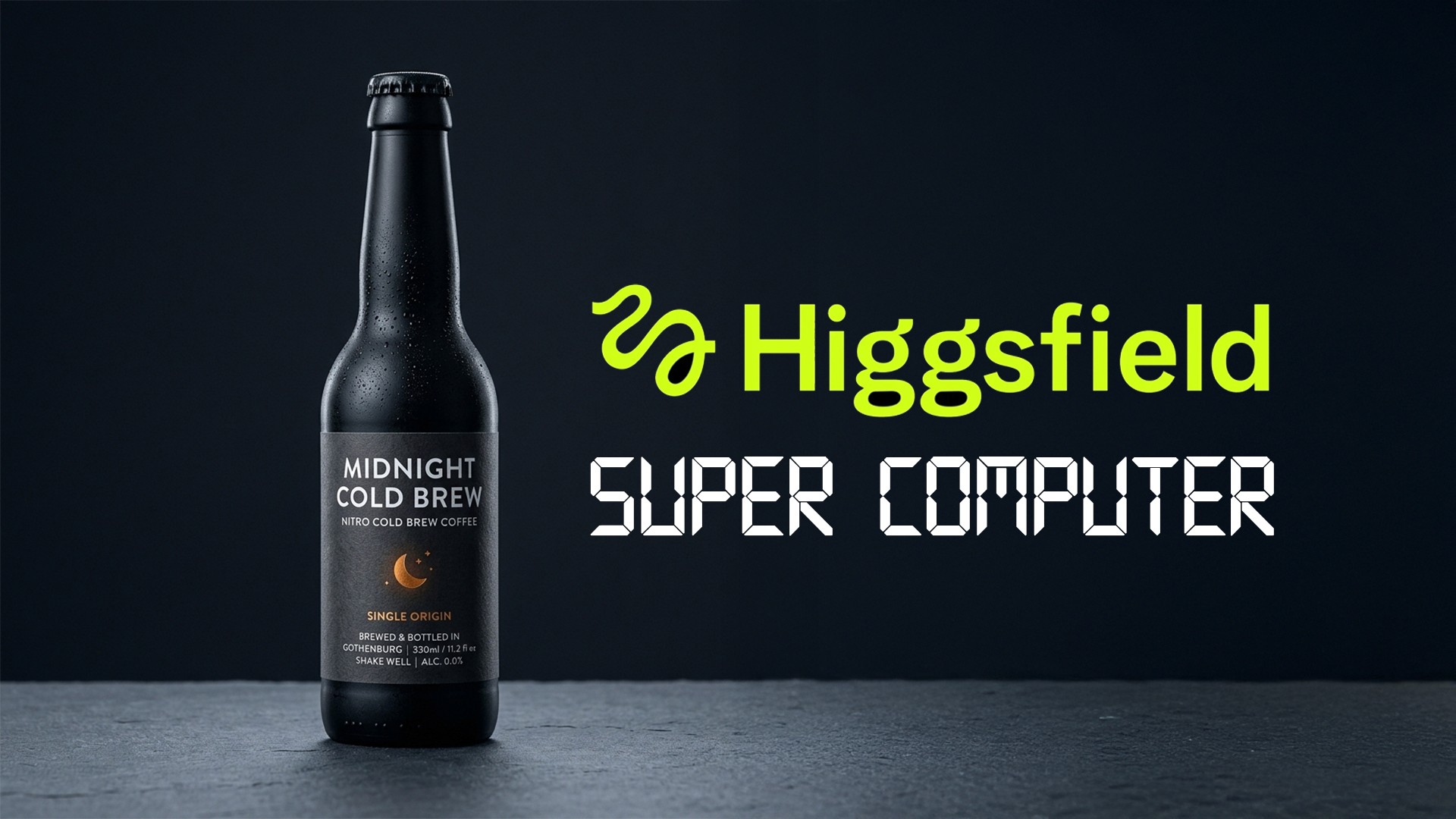
Image caption: Higgsfield Supercomputer helps creators start AI content workflows from one clear chat-style brief.
Step 1: Start a New Campaign Task
First, open Higgsfield Supercomputer and start a new task.
For this tutorial, create a new campaign task named:
Night Bloom Coffee Launch Campaign
This keeps all ideas, prompts, generated assets, and revisions inside one project.
That matters because we are not creating one random output. We are building a complete content package around one fictional coffee product.
The product concept is simple.
Night Bloom Coffee is a premium coffee brand for people who like calm, modern, design-focused mornings.
Midnight Cold Brew is a smooth bottled cold brew for busy creators, designers, and office workers.
The mood should feel premium, calm, urban, minimal, and slightly witty.
Step 2: Keep Confirmation Before Running
Before writing the first campaign prompt, check the run setting.
For a first test, it is safer to keep the workflow set to Confirm before running.
This is important because Supercomputer can consume credits when it generates results. Higgsfield’s official FAQ explains that Supercomputer shows the credit cost before rendering, and the user approves the spend before generation starts.
This means you do not need to generate everything at once.
A safer workflow is:
first, ask for a campaign plan,
then choose the best direction,
then run a small test,
then expand only after the direction feels right.

Image caption: Keeping confirmation before running helps users review the plan and credit usage before generating assets.
Step 3: Create the Campaign Plan
Now we will write the first prompt.
Do not ask Supercomputer to generate final assets immediately.
Start by asking for a clear campaign plan.
Prompt to use:
This first prompt is the foundation of the whole workflow.
It gives Supercomputer the product, audience, tone, campaign goal, and safety limits.
For a coffee product, it is better to avoid claims like “boosts brain function” or “guaranteed productivity.”
Instead, use softer brand language such as “calm morning ritual,” “smooth daily coffee,” or “a focused start to the day.”
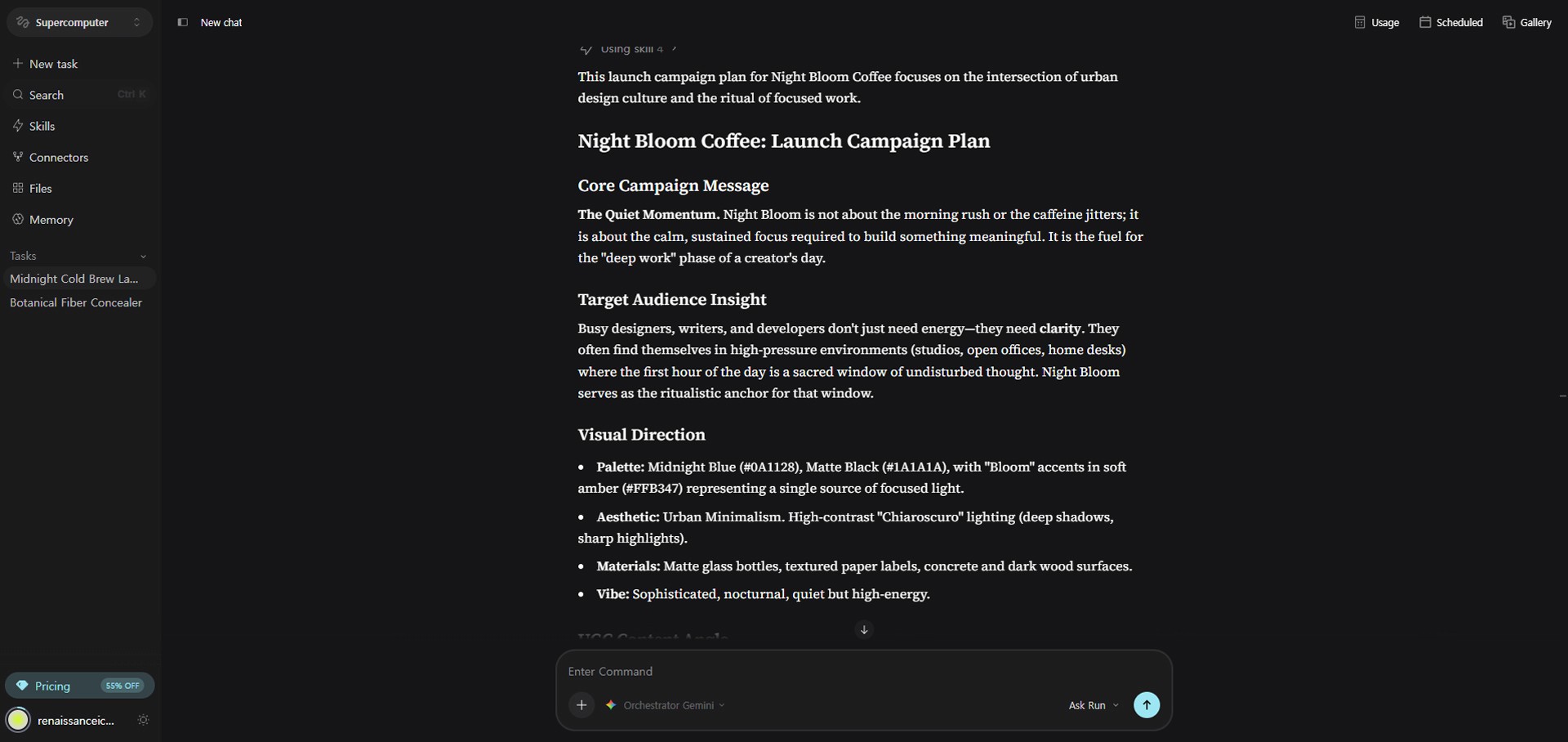
Image caption: A clear campaign brief helps Supercomputer create a focused launch direction before generating assets.
Step 4: Create UGC Ad Concepts
After you receive the campaign plan, move into the first real content format: UGC-style short-form ads.
Coffee works well for UGC because it naturally fits into everyday situations.
Morning routines, desk setups, café corners, late-night editing sessions, and quiet work-from-home scenes can all become relatable video moments.
Now ask Supercomputer to create three UGC concepts.
Prompt to use:
The first three seconds are the most important part of a UGC ad.
A strong hook could feel like this:
“This is my emergency button for slow mornings.”
Or:
“I do not become a morning person. I just drink better coffee.”
These lines feel more natural than exaggerated product claims.
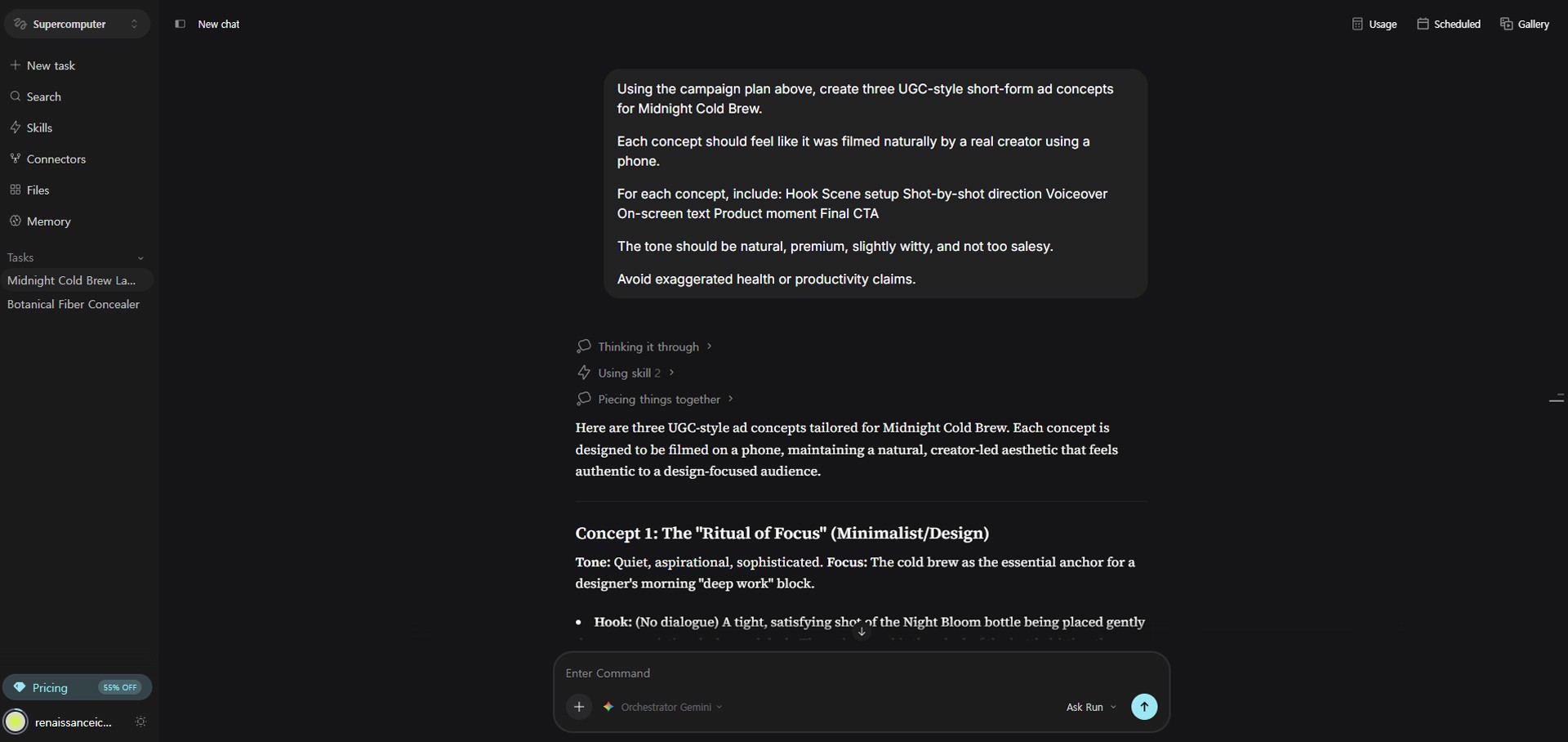
Image caption: UGC-style prompts help turn a coffee product into relatable short-form content for social media.
Step 5: Choose One Concept and Expand It into a 15-Second Script
Once you have three UGC concepts, choose the strongest one.
Do not expand all three at once yet.
To save credits and keep the direction focused, develop only one concept into a complete 15-second script.
For example, choose the concept around slow mornings and turn it into a full short-form video.
Prompt to use:
A good 15-second UGC structure is simple.
The first 0–3 seconds should hook the viewer.
The middle section should show the daily situation and product moment.
The final few seconds should end with a soft CTA.
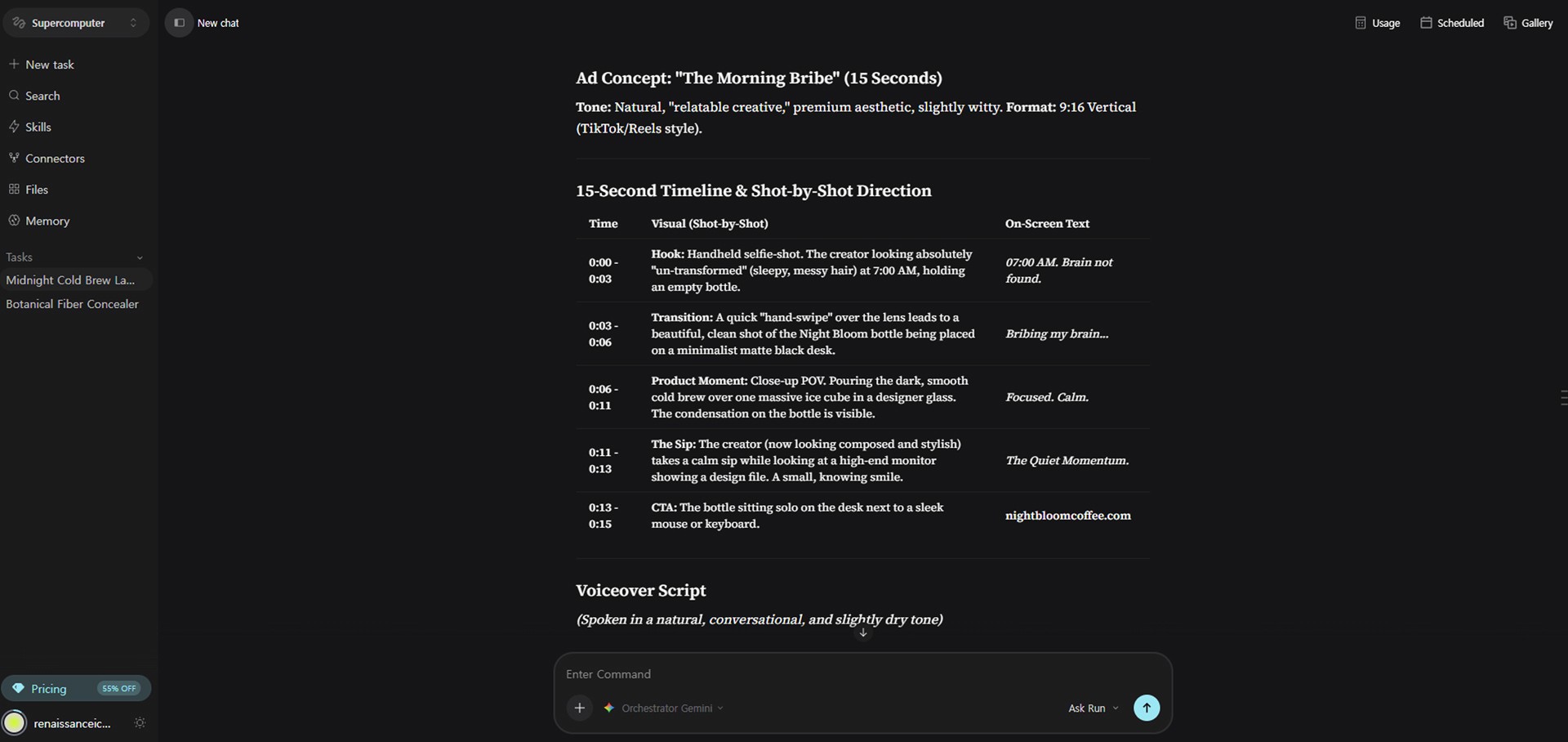
Image caption: Expanding one selected UGC concept into a 15-second script makes the campaign easier to test before scaling.
Step 6: Build the Visual Asset Plan
Now that we have the script, we need to plan the visual assets.
Even one short UGC ad may need several visual moments.
For this campaign, we can plan:
a product hero shot,
a morning desk scene,
a hand-held bottle shot,
a pouring or drinking close-up,
and a final packshot.
If you already have a product image, logo, packaging design, or moodboard, upload them into Files before this step. Higgsfield’s official page explains that Files can store assets, revisions, and briefs inside a project, and the agent can remember context across sessions.
Then use this prompt.
Prompt to use:
This step connects the script with the visuals.
Without this step, the ad may have good copy but weak or inconsistent imagery.
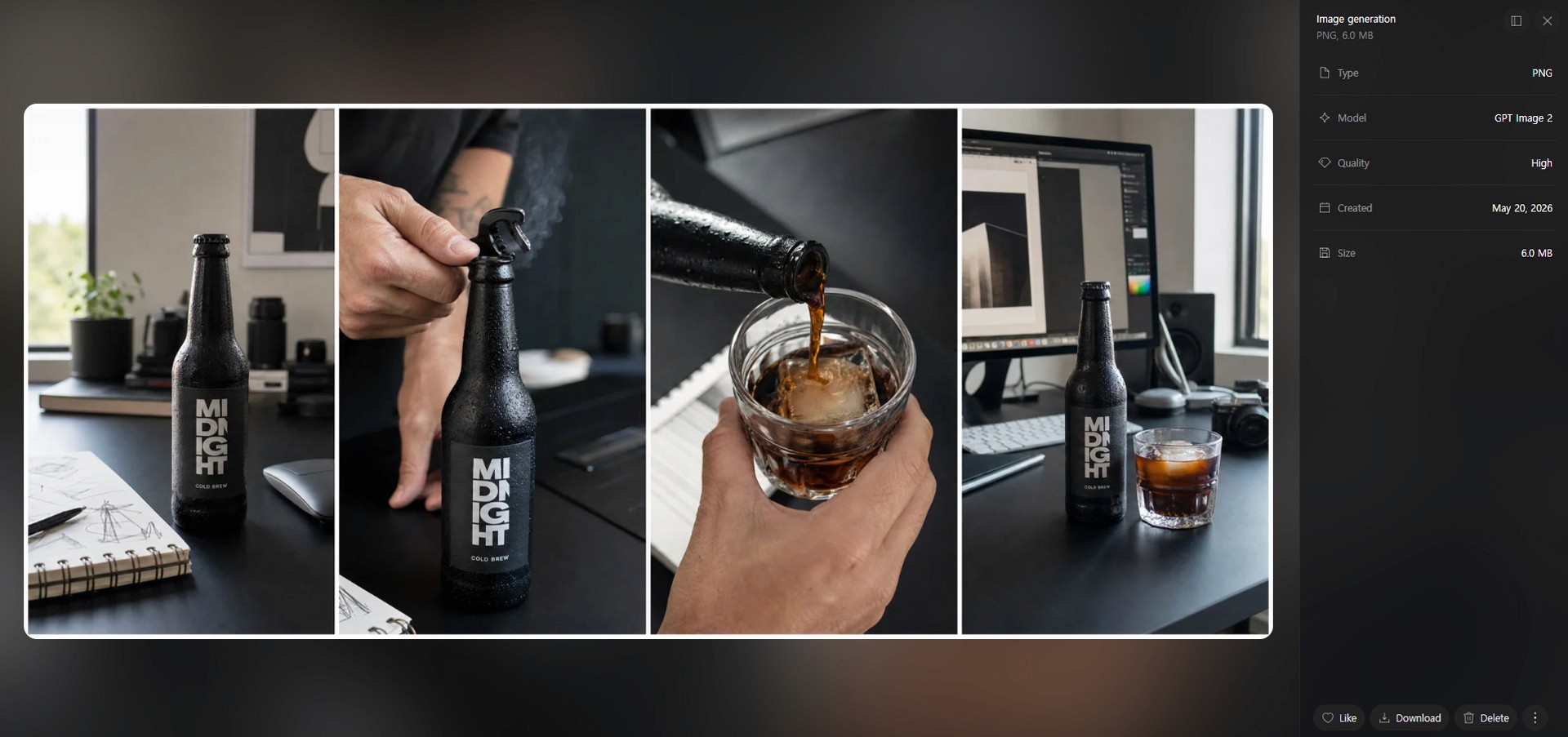
Image caption: A visual asset plan connects the UGC script with product shots, lifestyle scenes, and final packshot direction.
Step 7: Run a Small First Test
Before running the full campaign, start with a small test.
This helps control credit usage and lets you check whether the direction is working.
The first test should be small.
For example:
one product hero shot direction,
one 15-second UGC ad direction,
and three hook lines.
Prompt to use:
Supercomputer can use different models and workflows depending on the task. Higgsfield’s official page explains that the system can work with frontier models and that users may pick a model themselves or let the agent route to a suitable one.
That is why it is useful to ask what will likely consume credits before running a larger task.
Image caption: A small first test helps confirm the creative direction before spending credits on a larger campaign.
Step 8: Review and Refine the Result
After the first test, review the output carefully.
Do not treat the first result as the final version.
Check whether the product feels premium.
Check whether the UGC concept feels natural.
Check whether the coffee is presented in a believable way.
Check whether the tone is calm and modern.
Check whether any copy sounds too exaggerated.
If the result is close but still needs refinement, use this prompt.
Prompt to use:
This is one of the most important steps in the workflow.
Good AI content usually comes from iteration.
The first output gives you a direction.
The second or third refinement makes it usable.
Step 9: Expand into a Small Launch Marketing Package
Once the UGC direction and product visual style feel right, expand the concept into a small launch package.
This is where the campaign becomes more useful.
Instead of creating one video idea, we turn the tested direction into several marketing assets.
Prompt to use:
At this point, we have a practical content package.
The package includes a tested UGC direction, ad hooks, captions, product visual ideas, landing page copy, an email draft, and a simple content calendar.
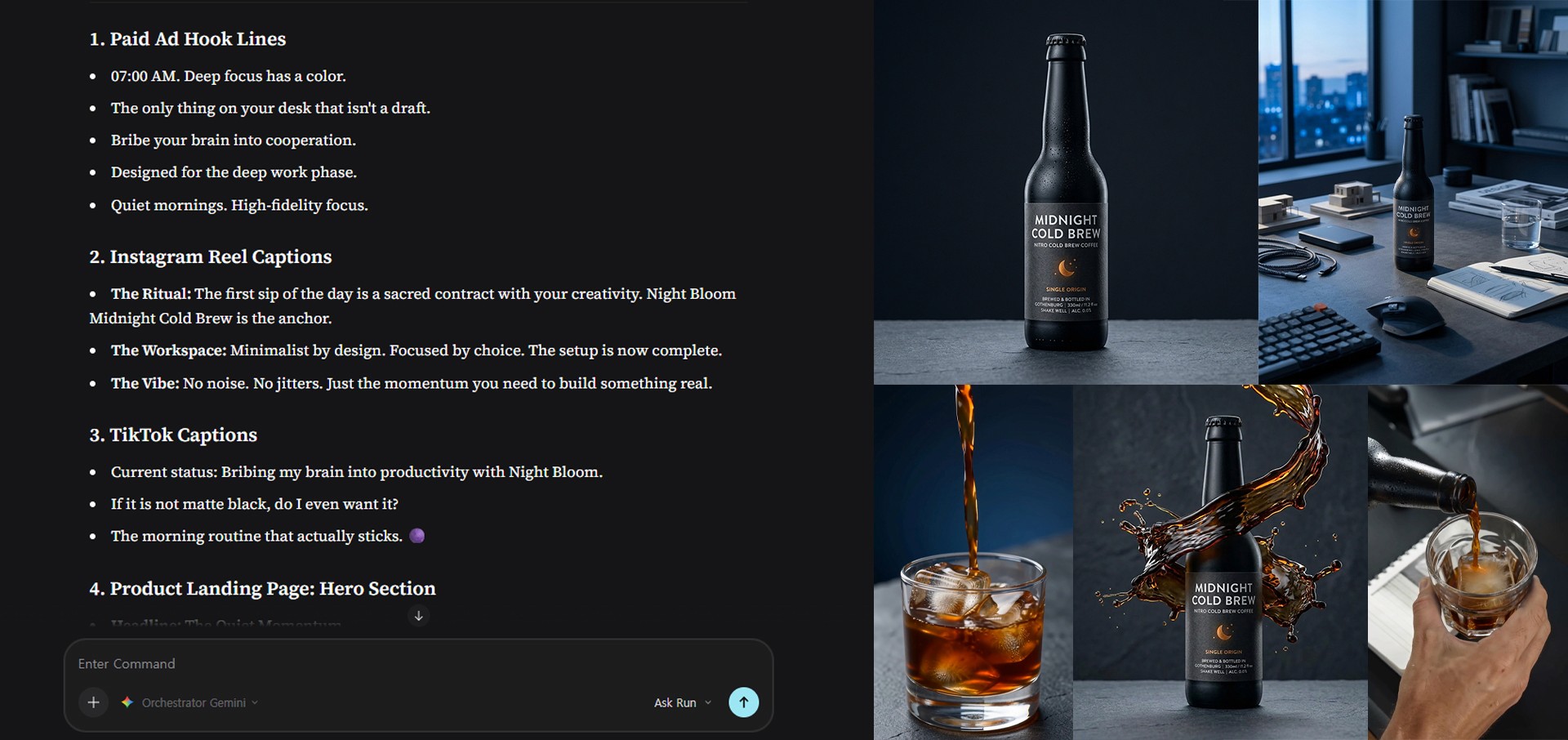
Image caption: A tested UGC concept can be expanded into hooks, captions, landing copy, and a simple launch content calendar.
Step 10: Final Campaign Review
Before using the campaign package, review everything one more time.
A good AI campaign should be clear, consistent, and safe to use.
Ask Supercomputer to help you audit the final package.
Prompt to use:
Please review the full Night Bloom Coffee launch package.
Check the following:
Is the brand tone consistent?
Are there any exaggerated health or productivity claims?
Does the UGC concept feel natural and believable?
Are the product shot directions consistent with the premium coffee mood?
Are the hooks strong but not misleading?
Is the 7-day content calendar realistic?
What should be improved before generating final video or image assets?
Please give practical improvement notes.
This final review step helps catch weak copy, inconsistent visuals, or claims that should be softened before production.
Higgsfield Plan Pricing
The following pricing details are based on the Higgsfield Supercomputer pricing view checked during this workflow.
Pricing, discounts, credits, included models, and Unlimited conditions can change, so users should always confirm the latest details on the live Pricing page before upgrading.
PLUS
$29 per month, billed annually
Original displayed price: $49
1,000 credits/month (500 Nano Banana Pro generations / 133 Kling 3.0 videos)
Access to all models
Parallel generations: up to 6 videos, 8 images
Access to all features
Early access to advanced AI features
7-day Unlimited: Nano Banana 2, Kling 3.0
ULTRA
$70 per month, billed annually
Original displayed price: $129
3,000 credits/month (1,500 Nano Banana Pro generations / 400 Kling 3.0 videos)
Access to all models
Parallel generations: up to 8 videos, 8 images
Access to all features
Early access to advanced AI features
Lowest cost per credit
One 365-day Unlimited video model
BUSINESS
$49 per seat/month, billed annually
Original displayed price: $89
3,000 credits in total/month (1,500 credits per seat/month)
Displayed with 2 seats
Access to all features & models
2 to 15 members in one shared workspace
Shared credit pool
Parallel generations: up to 16 videos, 16 images
Priority support
Team features: Shareable elements and Soul IDs, usage analytics and tracking, shared projects with integrated chat, custom SSO access
Supercomputer: 1 GB storage per member
Supercomputer should be used with credit awareness.
Video generation, multiple variations, and high-end models may consume more credits than simple planning or copywriting tasks.
For a first project, it is better to start with a small test before generating many assets.
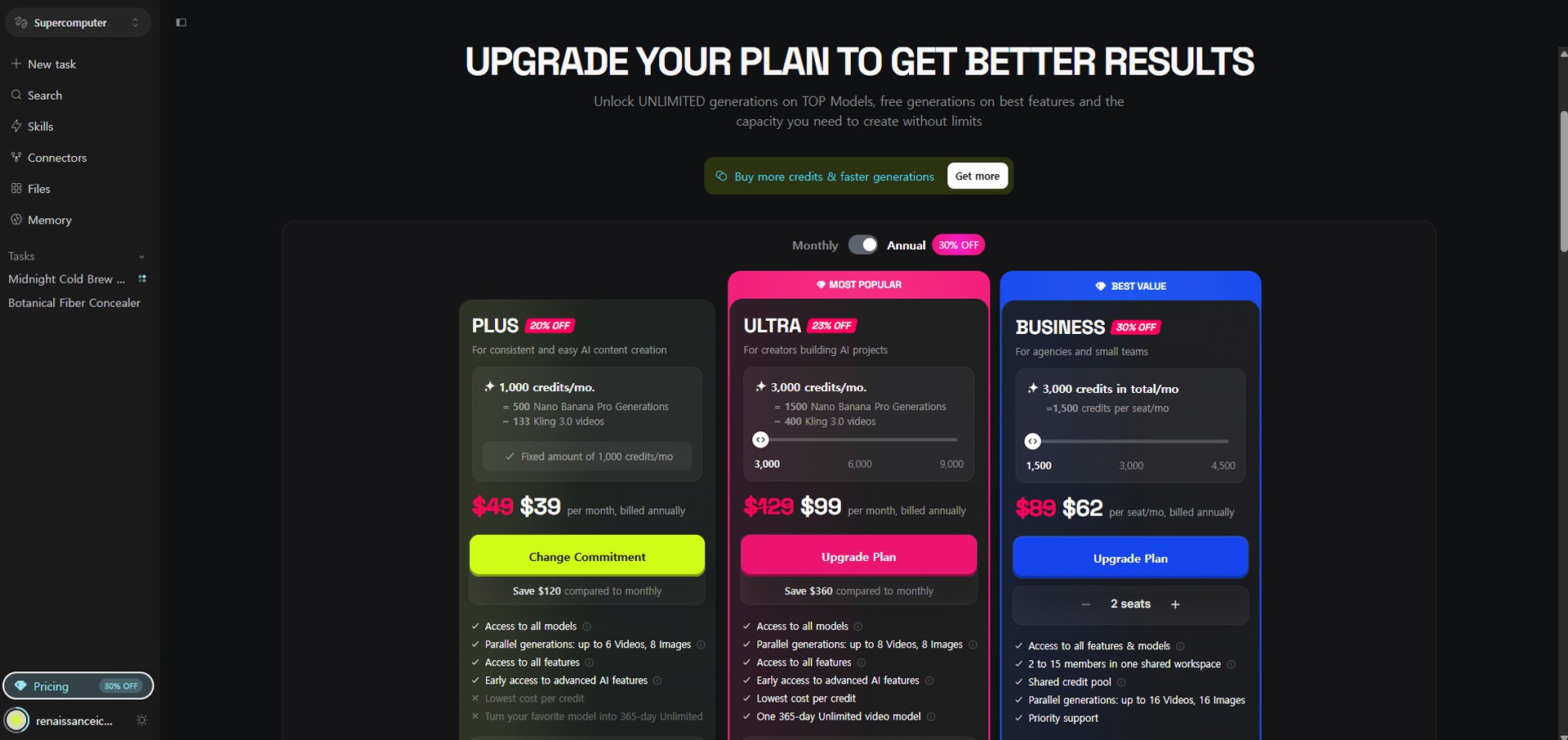
Image caption: Higgsfield pricing is based on credits, plan limits, and annual or monthly billing options, so users should check the live pricing page before upgrading.
Common Issues and Simple Fixes
If the results feel too generic, make the target audience, use case, and brand mood more specific.
If the copy feels exaggerated, add “avoid exaggerated claims” and “make it believable” to the prompt.
If the brand tone changes between outputs, upload a product image, brand guide, and moodboard into Files, then ask Supercomputer to use them as the main reference.
If the UGC concept feels fake, add “make it feel like a real creator filmed it with a phone.”
If the product image direction changes too much, add “preserve the exact bottle shape, label placement, and brand color.”
If credits are being used too quickly, keep confirmation before running and start with smaller tests.
Responsible Use Notes
Supercomputer can be powerful, but generated content still needs human review.
For food and beverage products, avoid unsupported health claims.
For a coffee campaign, avoid statements such as:
improves your health,
boosts brain function,
guarantees productivity,
or replaces sleep.
Use safer brand language instead.
For example:
smooth morning ritual,
calm focus mood,
daily coffee routine,
or a better start to the day.
Also be careful with UGC-style content.
If an AI-generated person appears to recommend a product, make sure viewers are not misled into thinking it is a real customer testimonial.
Higgsfield’s FAQ states that content generated on Higgsfield is cleared for commercial use, but users should still review the current terms, plan conditions, watermark rules, model limitations, and brand usage requirements before using outputs in a real campaign.
Keep a simple production record.
Save the prompt, generated result, selected version, model or workflow used, and intended usage.
Conclusion
In this tutorial, we used Higgsfield Supercomputer to create a small launch campaign for a fictional coffee brand.
The brand was Night Bloom Coffee.
The product was Midnight Cold Brew.
We started with a clear campaign brief, created UGC ad concepts, expanded one concept into a 15-second script, planned the visual assets, ran a small first test, refined the direction, expanded it into a launch marketing package, and reviewed the final campaign.
The important lesson is simple.
Do not jump randomly between features.
Use Supercomputer as one connected campaign workflow.
Start with the brief.
Create the campaign plan.
Build one UGC concept.
Expand it into a script.
Plan the visual assets.
Run a small test.
Refine the result.
Expand into a launch package.
Review before production.
Good AI content does not come from one vague prompt.
It comes from a clear brief, focused testing, careful review, and step-by-step refinement.
That is how Higgsfield Supercomputer can become a practical AI workflow tool for creators, marketers, and small brands.
We will return in the next A2SET tutorial with more practical AI workflows for creators, brand builders, marketers, and small teams.
Quick FAQ
What is Higgsfield Supercomputer?
Higgsfield Supercomputer is an agentic AI content creation workspace. Users describe what they want to make, and Supercomputer can help plan the work, choose suitable models or presets, and generate assets.
Is the name in the greeting always Chris?
No. The name shown in the greeting depends on the user account name.
What should I do first?
Start with a clear product and campaign brief. Do not generate final assets immediately. Ask for a campaign plan first.
What are Files used for?
Files can store product images, brand briefs, revisions, references, and other project assets. Higgsfield explains that Files help keep project context across sessions.
Can Supercomputer choose models automatically?
According to Higgsfield’s official Supercomputer page, users can pick models themselves or let the agent route tasks to a suitable model.
How much does it cost?
In the pricing view checked during this workflow, annual billing showed PLUS at $29/month, ULTRA at $70/month, and BUSINESS at $49 per seat/month. Users should confirm the latest live pricing before upgrading.
What should I generate first?
Start with a small test: one UGC ad concept, one product shot direction, and three hook lines. Expand only after the direction feels right.