Turn 10 Hours of Research into 10 Minutes with Perplexity

Hello creators, welcome back to A2SET’s AI Tutorial.
How do you usually do online research?
Most of us start by opening Google, typing a keyword, clicking several articles, closing irrelevant pages, opening more tabs, checking dates, comparing sources, and copying useful information into a document.
This process works, but it can take a lot of time.
If you are planning a blog post, preparing a proposal, researching a market trend, or looking for reliable data, simple keyword search can quickly turn into hours of scattered browsing.
That is where Perplexity can be useful.
Perplexity is an AI-powered answer engine that helps you search the web, summarize information, and check sources in one place. Instead of only showing a list of links, it can give you a direct answer with sources attached, so you can review where the information came from.
In this tutorial, we will look at a practical way to use Perplexity for faster research.
The goal is not to say that Perplexity replaces human judgment. It does not. You should still check important sources, compare information, and verify anything that will be used in professional work.
However, when used carefully, Perplexity can help creators, marketers, students, planners, and small teams move from scattered searching to more organized research.

Image caption: Perplexity can help creators research topics faster by combining web search, summarized answers, and source links.
What is Perplexity?
Perplexity is an AI search tool designed to answer questions using information from the web and other available sources.
A normal search engine usually gives you a list of pages to open.
Perplexity gives you an answer first, then shows the sources used to build that answer.
This makes it useful when you need to quickly understand a topic, compare different sources, or collect research direction before writing content.
For example, you can use it for:
blog topic research,
market trend summaries,
proposal preparation,
academic starting points,
competitor research,
content planning,
and quick fact-checking.
The most important thing is the source section.
Perplexity can show links and citation numbers so you can review the original sources. This does not mean every answer is automatically perfect, but it does make the research process more transparent than reading an answer without any reference.
Step 1: Open Perplexity and Understand the Main UI
When you first open Perplexity, you will see a clean search screen.
The center area is where you type your question.
The left side menu is where you can start a new thread, access previous research, use Spaces, and adjust settings depending on your account.
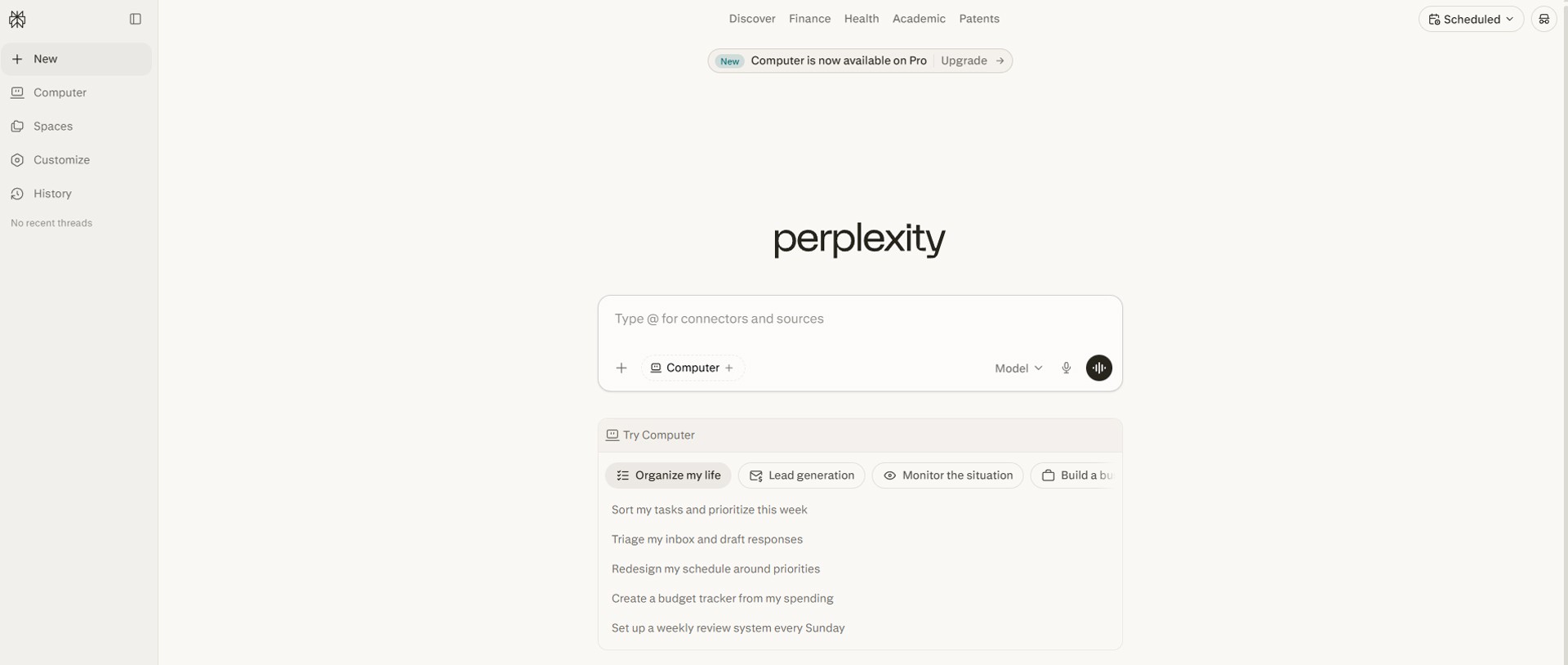
Image caption: The Perplexity home screen is designed around a central question box and research-focused navigation.
The exact menu may change over time, but the core areas are usually similar.
New is used when you want to start a fresh search or research thread.
History lets you reopen previous search conversations and continue from where you left off.
Spaces helps you organize research by topic or project. For example, you can create a Space for “2026 Short-form Trend Research” and keep related searches together.
Customize or Profile settings can help Perplexity understand your preferred language, tone, interests, and answer style.
Some advanced features may depend on your plan or region, so always check the current Perplexity interface if a menu looks different from this tutorial.
Step 2: Search Smarter with a Specific Question
The biggest mistake beginners make is using Perplexity like a normal keyword search box.
Instead of typing only a short keyword, ask a clear question.
For example, instead of typing:
write a more specific research question:
This kind of question gives Perplexity more direction.
It tells the AI what topic you want, what platforms to include, what output you expect, and how the answer should be supported.
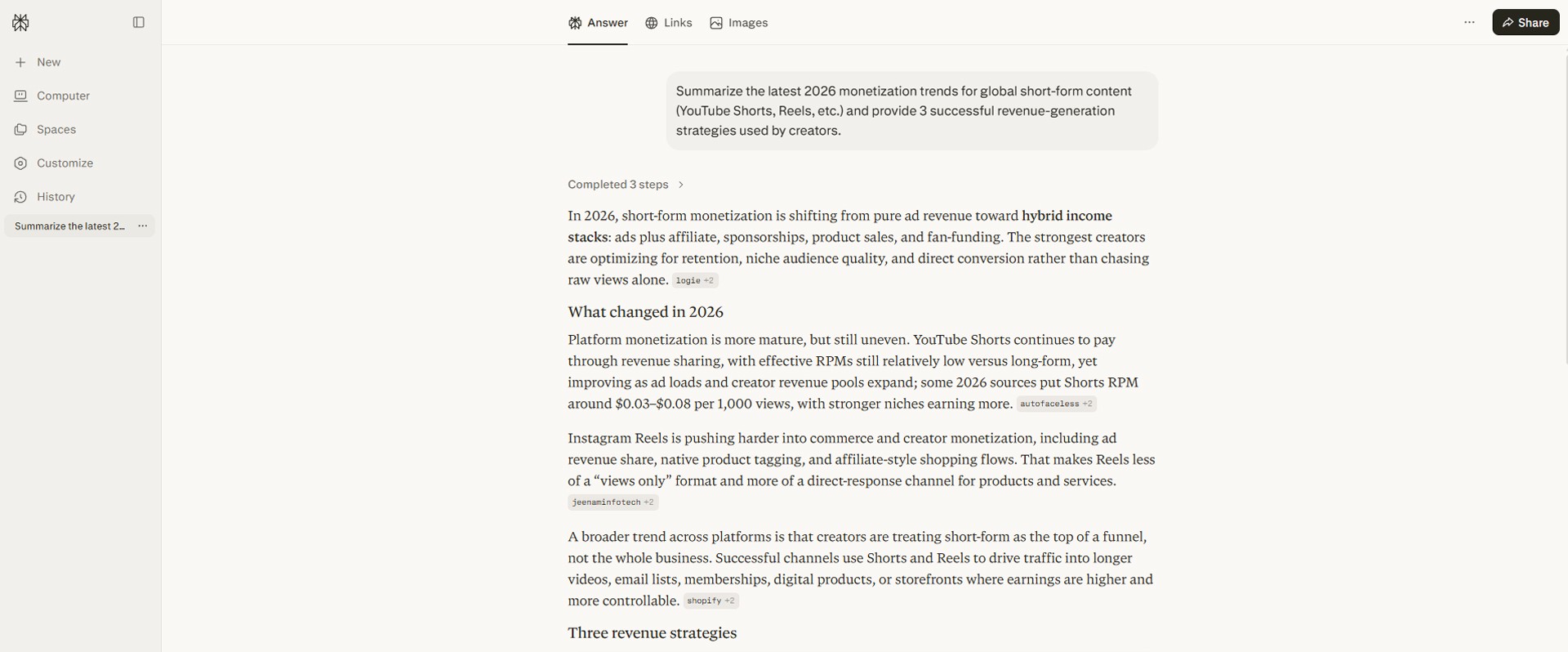
Image caption: A specific research question usually produces a more useful answer than a short keyword search.
If the interface provides search focus options such as web, academic, finance, or similar categories, choose the one that fits your topic.
For example, if you are researching academic papers, use an academic-focused option if available.
If you are checking company or market information, use web search and review the sources carefully.
The exact names of these options may change, but the idea is simple.
Choose the search mode that matches your research goal.
Step 3: Read the Answer Structure
After you enter a question, Perplexity will generate an answer.
Do not only read the summary.
Look at the structure of the result.
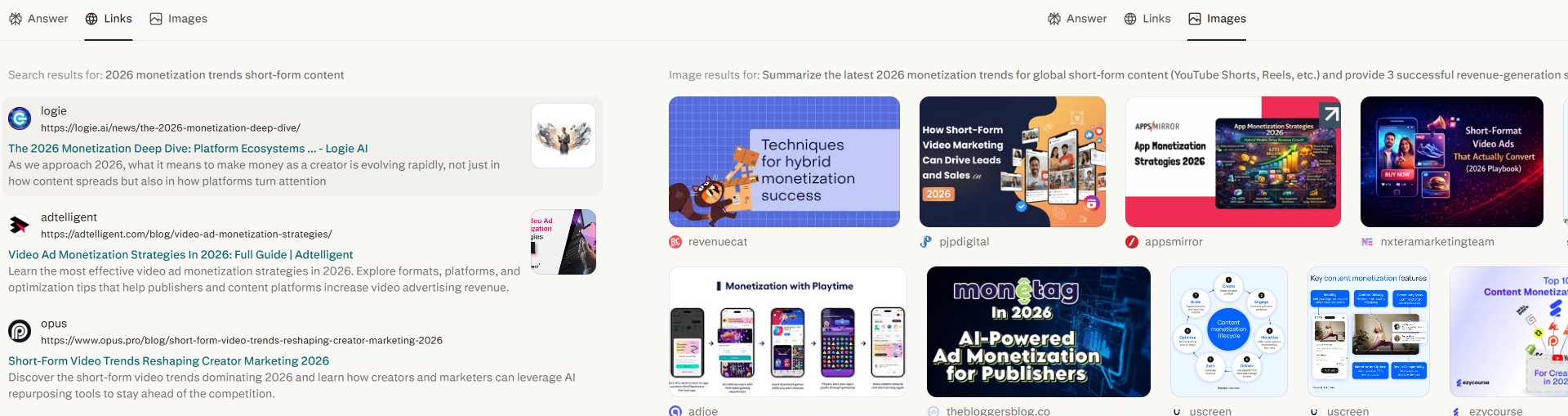
Image caption: Perplexity answers usually include a summary, source links, citation numbers, and related follow-up questions.
The Sources area shows the pages, reports, articles, or references used for the answer.
The Answer area gives you the summarized response.
Citation numbers appear near the statements, helping you connect parts of the answer to the source material.
Related questions can help you continue the research without starting over.
This structure is useful because it lets you move quickly from summary to verification.
If a point looks important, click the source and check the original page.
If a source looks weak, search again or ask for more reliable sources.
If the answer feels too broad, ask a follow-up question.
Perplexity is helpful, but you should not treat the first answer as the final answer for important work.
Use it as a research assistant, then verify key details yourself.
Step 4: Ask Better Follow-Up Questions
One of the best ways to use Perplexity is through follow-up questions.
After getting the first answer, you can ask the AI to narrow the topic, compare options, or turn the research into a practical plan.
For example:
Or:
Or:
This is where Perplexity becomes more useful than a one-time search.
You can start broad, then slowly shape the answer into something practical.
Step 5: Use Spaces to Organize Research
If you research many topics, your search history can become messy.
Spaces help you organize related searches into a project area.
For example, if you are planning content for A2SET, you could create Spaces like:
AI Video Tools
AI Music Workflows
Creator Monetization
AdSense Research
Short-form Content Trends
Inside each Space, you can keep related threads, research notes, and source-based answers together.
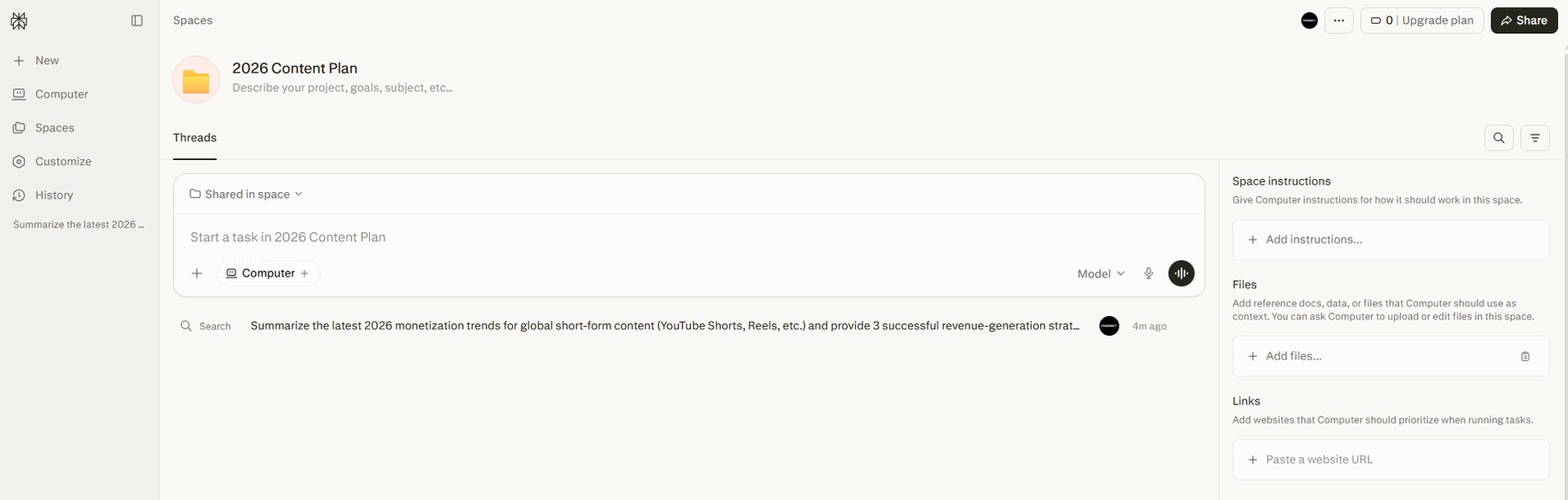
Image caption: Spaces can help organize research threads by topic, project, or team workflow.
This is useful when you are working on a long-term project.
Instead of losing useful searches in your general history, you can save them inside the right Space and return later.
If you work with a team, Spaces can also help organize shared research depending on your available plan and sharing settings.
Step 6: Save and Share Your Research
After completing a useful search, save it or share it.
In many workflows, you may want to send your research to a teammate, client, or collaborator.
Before sharing, review the answer first.
Check whether the sources are relevant.
Check whether the answer is recent enough.
Check whether any important claim needs a stronger source.
Remove anything that is not useful for the person receiving it.
For content planning, you can use Perplexity research as a starting point for:
blog outlines,
video scripts,
proposal notes,
trend summaries,
content calendars,
newsletter ideas,
and competitor research.
The best workflow is not simply copying the answer.
The best workflow is to use Perplexity to collect and organize information, then add your own judgment, experience, and editorial direction.
A2SET Workflow Example
Here is a simple workflow we recommend for creators.
First, ask a clear research question.
Second, ask Perplexity to organize the answer.
Third, ask for gaps or risks.
Fourth, open the most important sources yourself and verify them.
This workflow helps you move faster without giving up quality control.
Common Issues and Simple Fixes
If the answer feels too broad, ask a narrower question.
If the sources look weak, ask for stronger sources.
If the answer is too long, ask for a shorter format.
If you need a blog structure, ask for an outline.
If you need to check recent information, include the year.
Responsible Use Notes
Perplexity can make research faster, but it should not replace verification.
Always check the original source before using important data in a proposal, client report, academic work, legal content, financial content, health content, or product claim.
Also remember that AI search results can reflect the quality of the sources it finds. If the web contains outdated, biased, or incomplete information, the answer may still need human review.
For professional use, keep a simple record of your research:
research question,
important sources,
date checked,
summary,
final conclusion,
and any uncertainty.
This makes your research easier to review later.
Conclusion
Perplexity can be a practical research assistant for creators and small teams.
Instead of spending hours opening random tabs and copying fragments into a document, you can ask a clear question, review a summarized answer, check the sources, ask follow-up questions, and organize the result inside Spaces.
The key is to use it carefully.
Do not treat every answer as automatically correct.
Do not skip source checking for important claims.
Do not copy the summary without adding your own thinking.
Used well, Perplexity can help you save time on early research, content planning, trend summaries, and source collection.
Start with a specific question.
Review the sources.
Ask useful follow-ups.
Save related research in Spaces.
Then turn the result into your own content, report, or creative plan.
That is how AI search becomes more useful as a real productivity workflow.
We will return in the next A2SET tutorial with more practical AI workflows for creators, designers, and small production teams.
Quick FAQ
Is Perplexity the same as Google?
No. Google mainly shows a list of search results, while Perplexity gives a summarized answer with source links. For important research, you should still open and check the original sources.
Can Perplexity make mistakes?
Yes. Perplexity can still make mistakes or use imperfect sources. Always verify important information before using it professionally.
What is the best way to ask Perplexity a question?
Use a clear, specific question. Include the topic, purpose, time period, output format, and source preference if needed.
What are Spaces used for?
Spaces are used to organize research by topic or project. They can help keep related threads, files, and research notes in one place.
Can I use Perplexity for blog writing?
Yes, but it is best used for research, source collection, outlines, and idea development. The final blog should include your own perspective, examples, and editing.
Should I trust every citation?
No. A citation shows where the information may come from, but you should still check whether the source is reliable, recent, and relevant.
Can I use Perplexity for academic work?
It can help you find starting points and summarize sources, but you should verify sources directly and follow your school’s AI and citation rules.