Turn Audio Recordings into Clean Meeting Minutes with OpenAI and Google Colab

Hello creators, welcome back to A2SET’s AI Tutorial.
Have you ever recorded an important meeting, Zoom call, interview, or lecture, then realized that the real work starts after the recording ends?
A recording is useful, but listening to a long audio file again and turning it into organized notes can take a lot of time.
You need to replay the audio, catch the important points, write down decisions, separate action items, and clean up the final document so other people can read it.
In this tutorial, we will build a simple AI meeting minutes workflow using Google Colab and OpenAI.
The workflow is simple.
First, we upload an audio file to Google Colab.
Then, we transcribe the audio into text using OpenAI speech-to-text.
After that, we send the transcript to GPT and ask it to organize the content into clean meeting minutes.
Finally, we download the result as a Markdown file.
This workflow is useful for meetings, lectures, interviews, study notes, and internal discussion summaries.
The result may not be perfect every time. Audio quality, background noise, speaker overlap, file length, and unclear pronunciation can all affect the output. However, with a clear recording and a good summary prompt, this workflow can save a lot of time compared to writing everything manually.
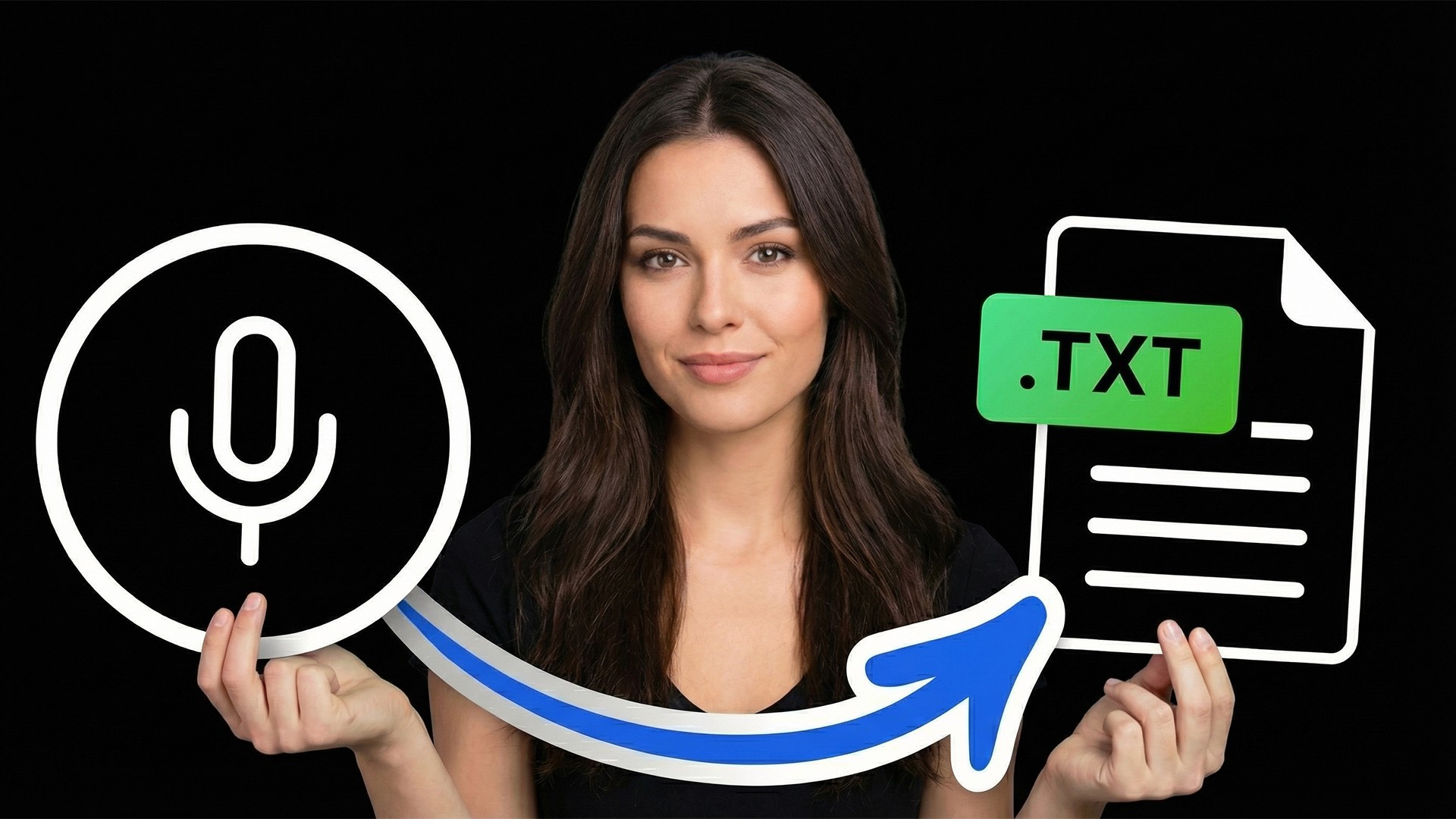
Image caption: This workflow turns an uploaded audio file into a transcript, then organizes it into structured meeting minutes.
Before You Start: Check API and Audio Limits
Before using this workflow, prepare your OpenAI API key and make sure your API account is ready for usage.
OpenAI API usage is separate from a normal ChatGPT subscription, so check your billing, credits, and current pricing before running long audio files.
Also, check the audio file size.
For file-based transcription, OpenAI’s current audio upload limit is 25MB. Supported formats include common audio types such as MP3, M4A, WAV, and WEBM.
If your meeting recording is too large, compress it or split it into smaller parts before uploading.
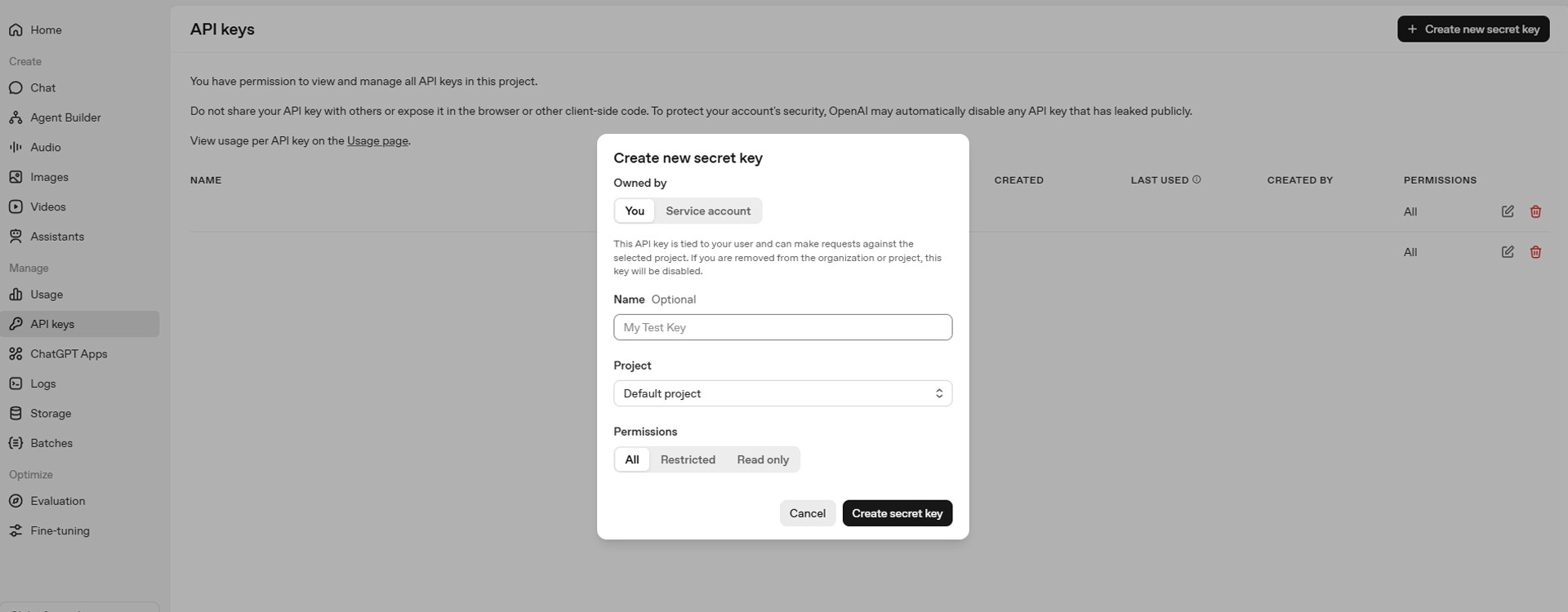
Image caption: Before starting, prepare your OpenAI API key and make sure your audio file is within the supported upload limit.
Step 1: Set Up Google Colab and OpenAI API
First, open Google Colab and create a new notebook.
Rename the notebook:
Now run the first cell below.
This cell installs the OpenAI Python library, asks for your API key, and creates the OpenAI client.
This version does not paste the API key directly into the code.
That is safer than writing the key inside the notebook. If you share the notebook later, always make sure your API key is not saved inside the file.
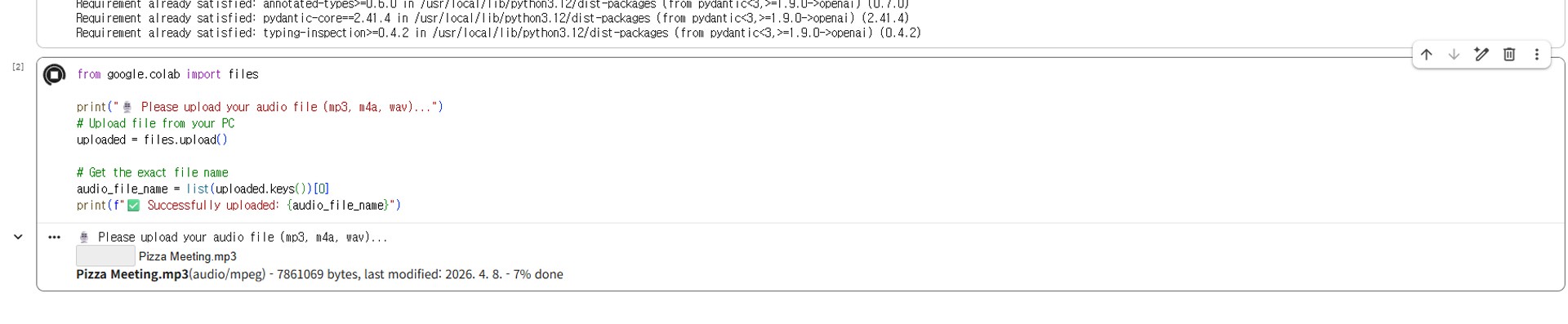
Image caption: Use Google Colab as a simple cloud workspace to run the transcription and meeting minutes workflow.
Step 2: Upload Your Audio File
Next, upload your meeting, lecture, or interview recording.
Create a new code cell and run this:
After running the cell, click Choose Files and select your audio file.
If the file is too large, compress it or split it into smaller parts before uploading.
Image caption: Upload your meeting or lecture recording directly into the Colab notebook.
Step 3: Transcribe the Audio into Text
Now we will convert the audio file into text.
Create a new code cell and run this:
This step creates a raw transcript from your audio.
The transcript may still be messy. It may include repeated phrases, informal speech, or unclear sections depending on the recording quality.
That is normal.
The next step is where we turn this raw transcript into a structured meeting minutes document.
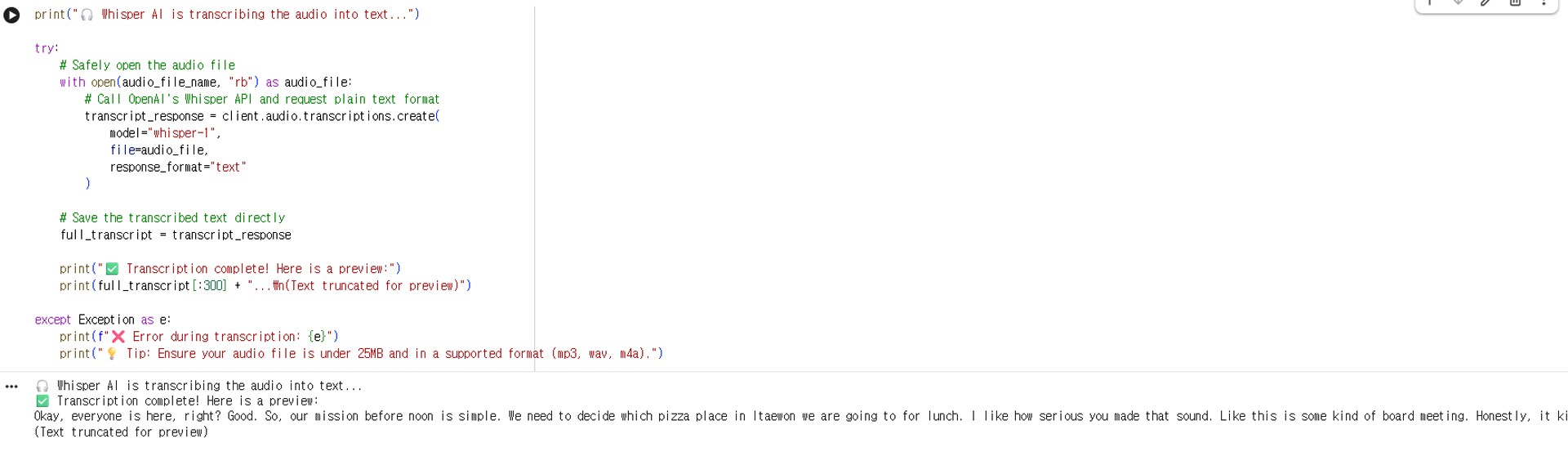
Image caption: The audio transcription step converts spoken content into raw text that can be summarized later.
Step 4: Create Structured Meeting Minutes with GPT
Now we will ask GPT to organize the raw transcript.
Create a new code cell and run this:
This prompt is designed to keep the output useful and safer.
Instead of asking the AI to create “perfect” notes, we ask it to organize only what is actually included in the transcript.
This is important because meeting minutes should not include invented decisions, fake owners, or guessed deadlines.
Step 5: Download the Meeting Minutes File
Finally, save the result as a Markdown file and download it to your computer.
Create a new code cell and run this:
You now have a clean .md file that can be opened in Notion, Google Docs, Obsidian, VS Code, or any Markdown editor.
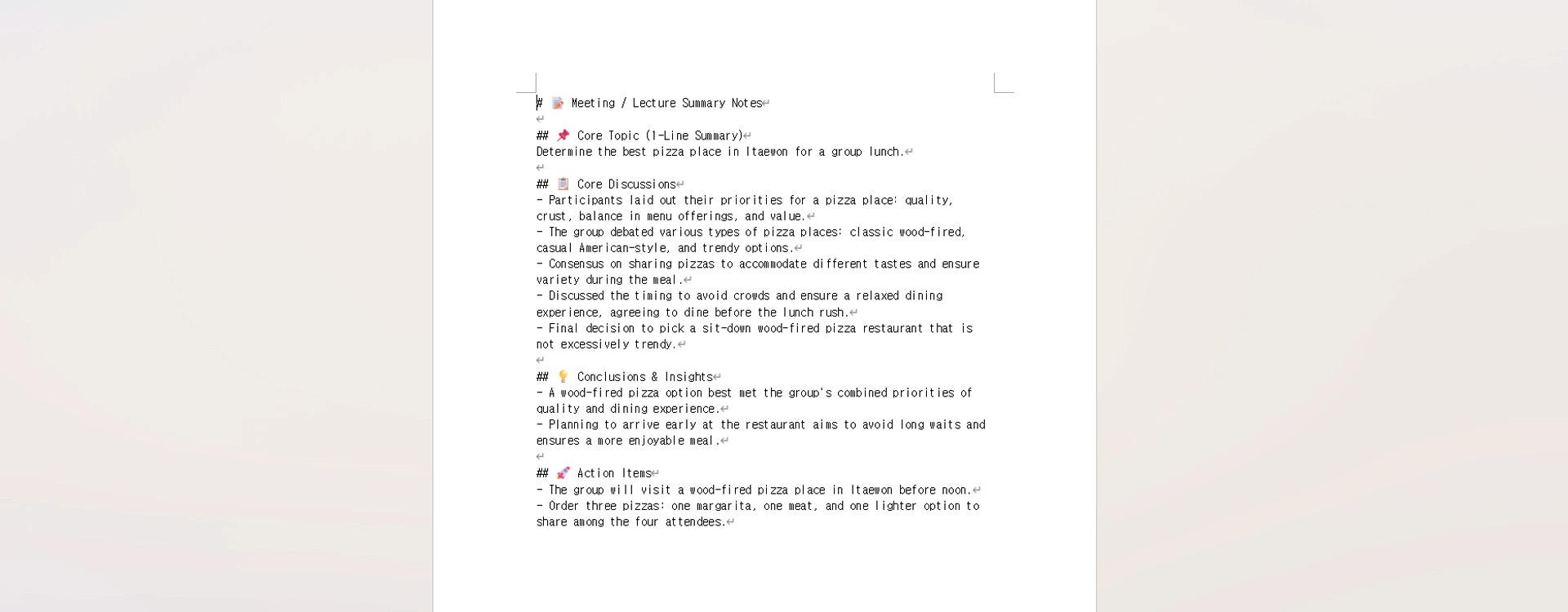
Image caption: Download the final meeting minutes as a Markdown file and share or edit it as needed.
Practical Use Cases
This workflow can be useful for many situations.
You can use it for team meetings, client calls, college lectures, research interviews, internal reviews, online workshops, and content planning sessions.
For lectures, you can slightly change the prompt.
Instead of “Decisions” and “Action Items,” you can ask for:
key concepts,
exam review points,
definitions,
important examples,
and follow-up questions.
For client meetings, keep the action item section.
That is where the workflow becomes most useful because it helps identify who needs to do what next.
Common Issues and Simple Fixes
If the transcription is inaccurate, try using a clearer audio file, reducing background noise, or splitting a long recording into smaller parts.
If the meeting minutes are too long, add this line to the prompt:
If the output misses action items, add this line:
If the transcript includes multiple languages, add this line:
If you want Korean meeting minutes instead, change the language instruction:
Responsible Use Notes
Meeting recordings can contain sensitive information.
Before uploading any audio file to an AI service, check whether the recording includes confidential business information, personal data, private conversations, or client materials.
Also, make sure you have permission to record and process the meeting audio.
For business use, it is safer to create internal rules for:
who can upload recordings,
what types of recordings can be processed,
where the output files are stored,
who can access the meeting minutes,
and when files should be deleted.
AI-generated meeting minutes should also be reviewed by a person before they are shared as an official record.
This is especially important for legal, financial, medical, HR, or contract-related meetings.
Conclusion
Today, we created a simple AI meeting minutes workflow with Google Colab and OpenAI.
The process is straightforward.
Create a Colab notebook.
Enter your OpenAI API key safely.
Upload an audio file.
Transcribe the recording into text.
Ask GPT to organize the transcript into meeting minutes.
Download the result as a Markdown file.
This workflow does not replace careful human review, and it should not be treated as a perfect official record without checking.
However, for meetings, lectures, interviews, and study notes, it can save a lot of time.
Start with a short recording.
Check the transcript quality.
Review the meeting minutes.
Then adjust the prompt to fit your own workflow.
That is how AI transcription becomes more useful as a real productivity tool.
We will return in the next A2SET tutorial with more practical AI workflows for creators, students, teams, and small businesses.
Quick FAQ
Can I use this for long meeting recordings?
Yes, but long files may exceed upload limits. If the file is too large, compress it or split it into smaller parts.
Does the transcription always come out perfectly?
No. Audio quality, background noise, multiple speakers, accents, and overlapping speech can affect the result.
Can this identify different speakers?
Basic transcription may not always separate speakers clearly. If speaker separation is important, consider using a diarization-capable transcription model or manually label speakers after transcription.
Can I create Korean meeting minutes?
Yes. Change the prompt instruction from English to Korean.
Can I use this for lectures?
Yes. For lectures, adjust the summary format to include key concepts, review points, definitions, and exam preparation notes.
Is it safe to upload business recordings?
Only upload recordings if you understand the privacy, security, and data handling terms of the tools you use. For sensitive meetings, check internal company policy first.
Should I review the final meeting minutes manually?
Yes. AI-generated minutes should be reviewed before being used as an official document.