Create a Product Launch Presentation with Manus AI Create Slides
Hello creators, welcome back to A2SET’s AI Tutorial.
Having a product image is one thing.
Turning it into a clear launch presentation is another.
You need to explain what the product is, who it is for, what problem it solves, how the brand should feel, and how the launch should appear across SNS channels.
In this tutorial, we will use Manus AI’s Create slides feature to turn one product image and a short product brief into a concise seven-slide product launch presentation.
The goal is not to create a long investor deck or a complex business plan.
We are creating a short and visual brand launch deck that helps a small team review the product concept, target audience, brand direction, and first SNS launch plan.
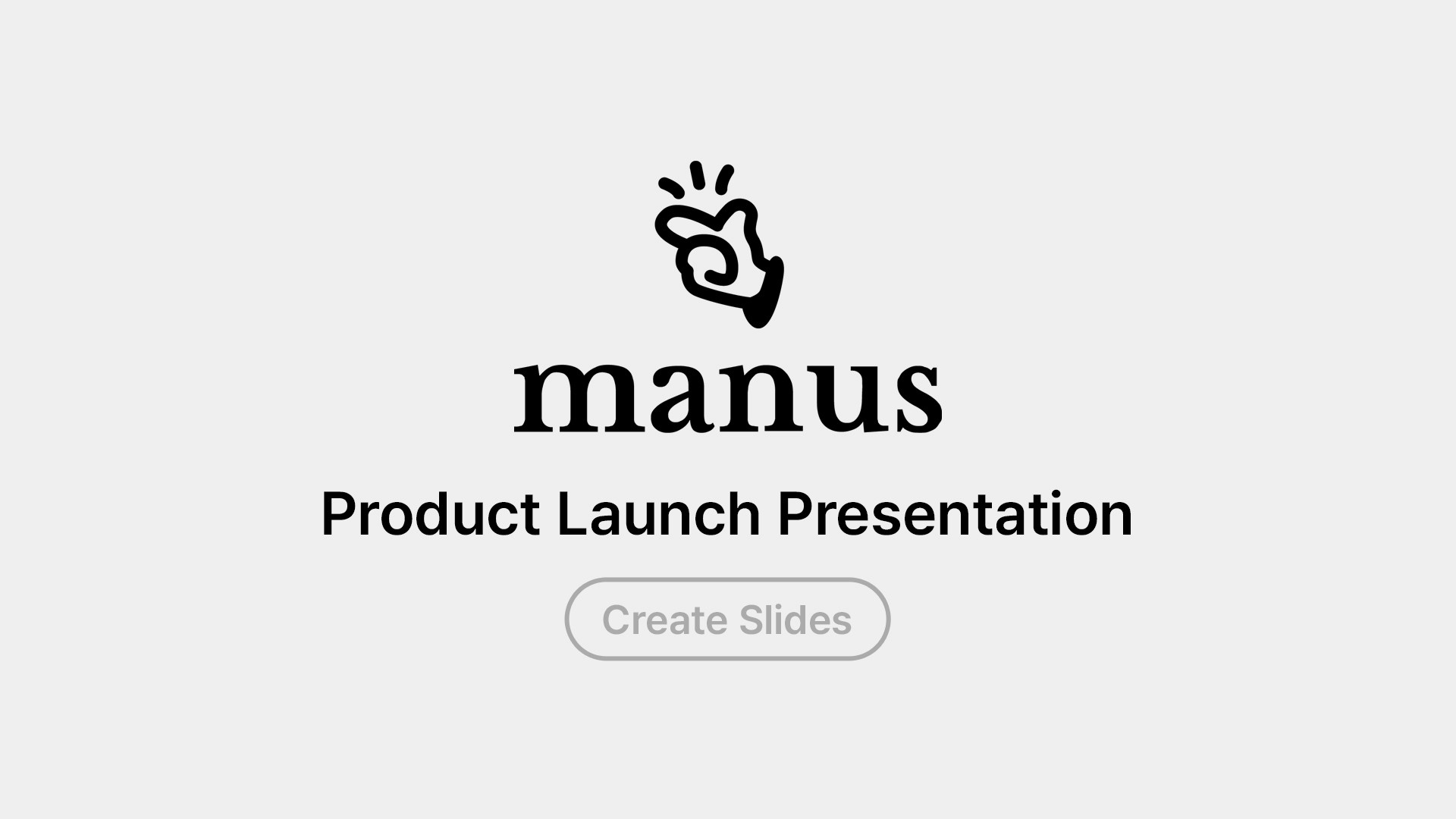
Image caption: Manus Create slides can turn one product image and a short brief into a visual product launch presentation.
Step 1: Start with Create Slides
On the Manus home screen, you will see shortcut buttons below the main prompt area.
These include Create slides, Build website, Develop desktop apps, and Design.
For this tutorial, select Create slides.
Next, click the + button inside the prompt area and upload one product image.
For the strongest result, use a clear front-facing or 45-degree product photo.
The product label, package shape, color, and material should be easy to see.
A strong product image gives Manus a better visual reference for the cover slide and product-focused sections.

Image caption: Select Create slides, then upload one clear product image with the plus button.
Step 2: Request a Seven-Slide Product Launch Deck
Once the image is uploaded, use the prompt below.
Replace the bracketed parts with your real product information.
Prompt to use:
The key is to define the slide structure before Manus starts building.
For a first test, seven slides are enough to show the product, audience, concept, benefits, and launch direction without making the deck too long.
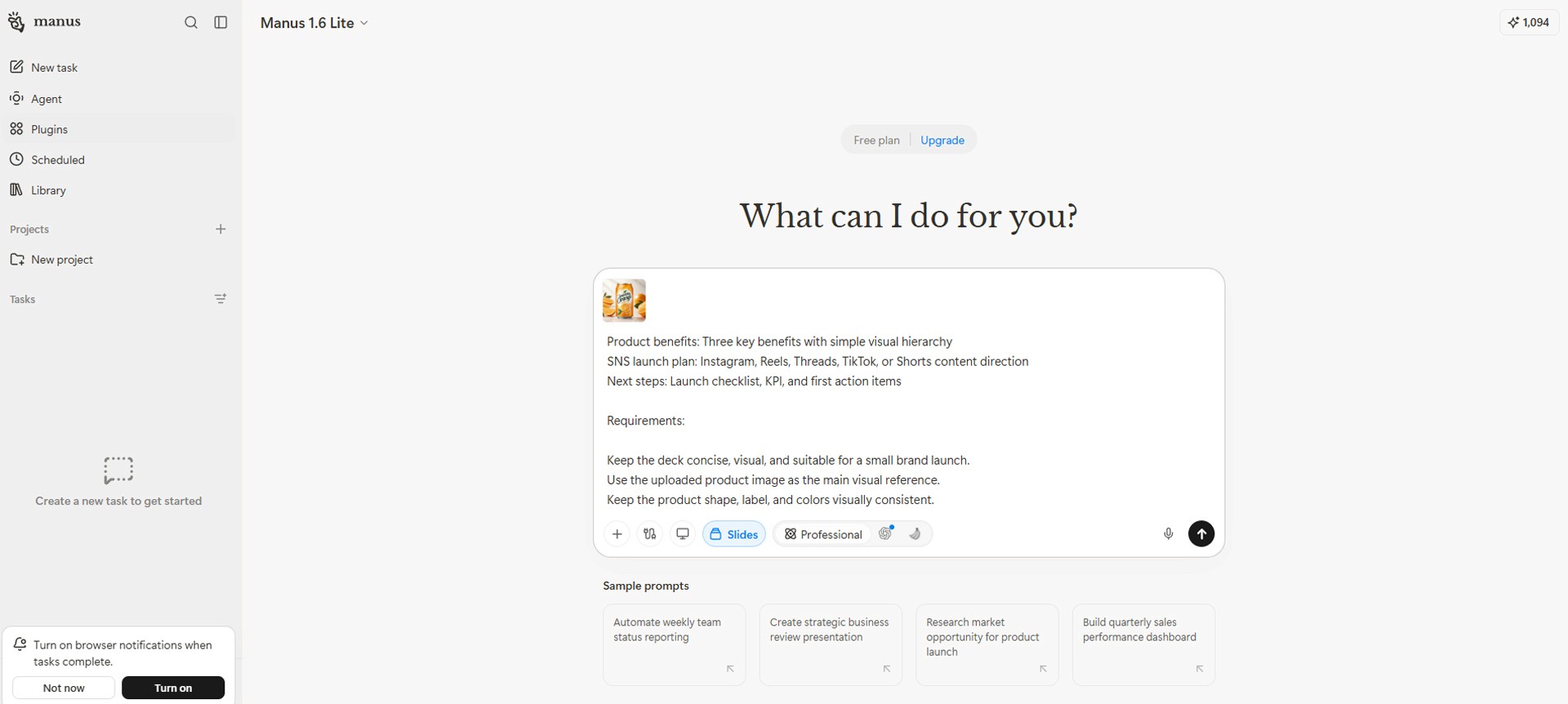
Image caption: A focused seven-slide prompt helps Manus create a clear launch deck without unnecessary complexity.
Step 3: Review the First Result
Once the first presentation is ready, do not rebuild it immediately.
First, review the overall flow.
Check whether the product is large and visible enough on the cover slide.
Check whether viewers can understand what the product is within the first two slides.
Check whether the target audience and brand concept match the real product direction.
Check whether the SNS launch plan feels practical rather than generic.
Check whether each slide contains only the most important information.
Also make sure Manus has not added unsupported claims, invented ingredients, certifications, reviews, or product features.
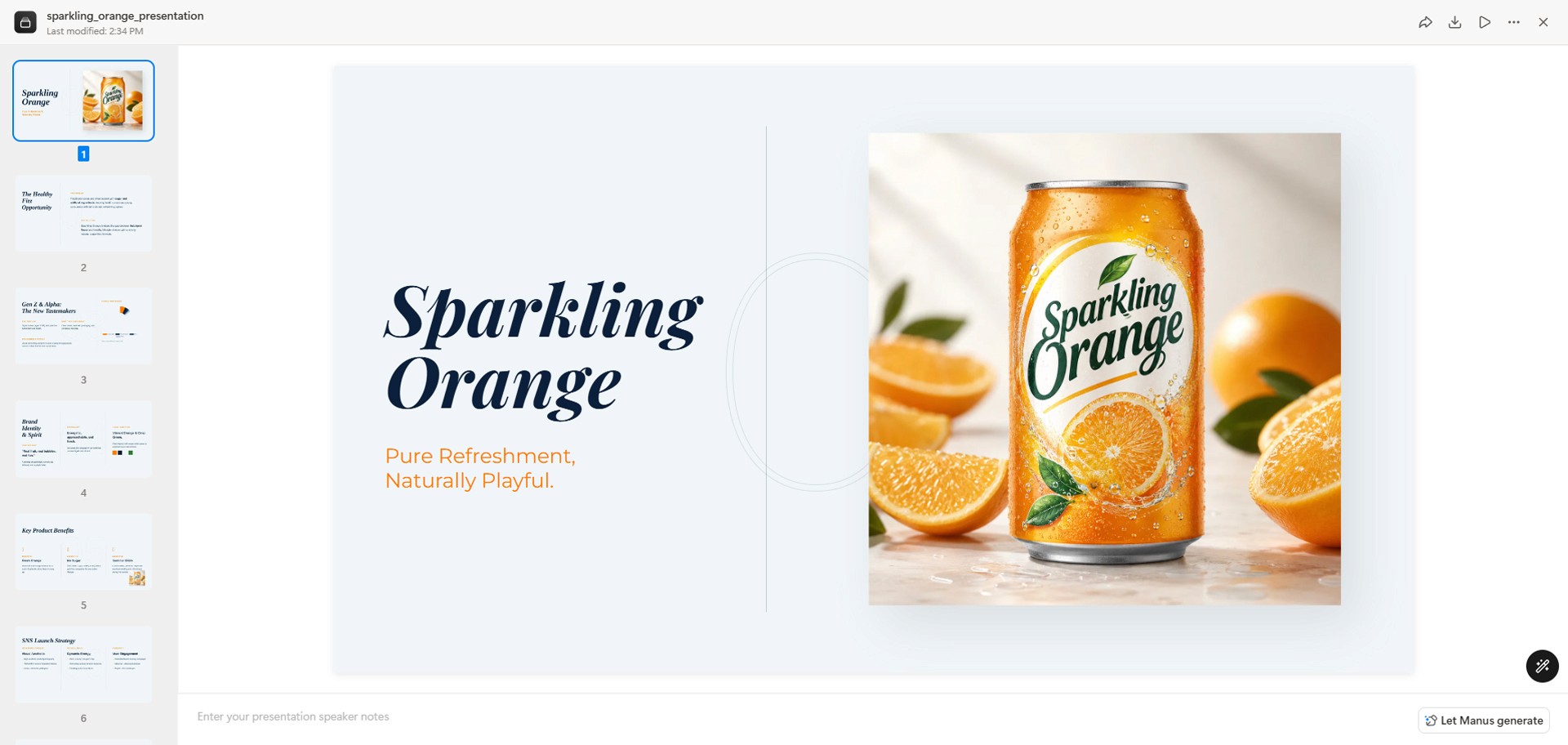
Image caption: Review the first deck for product accuracy, clear slide flow, and visual consistency.
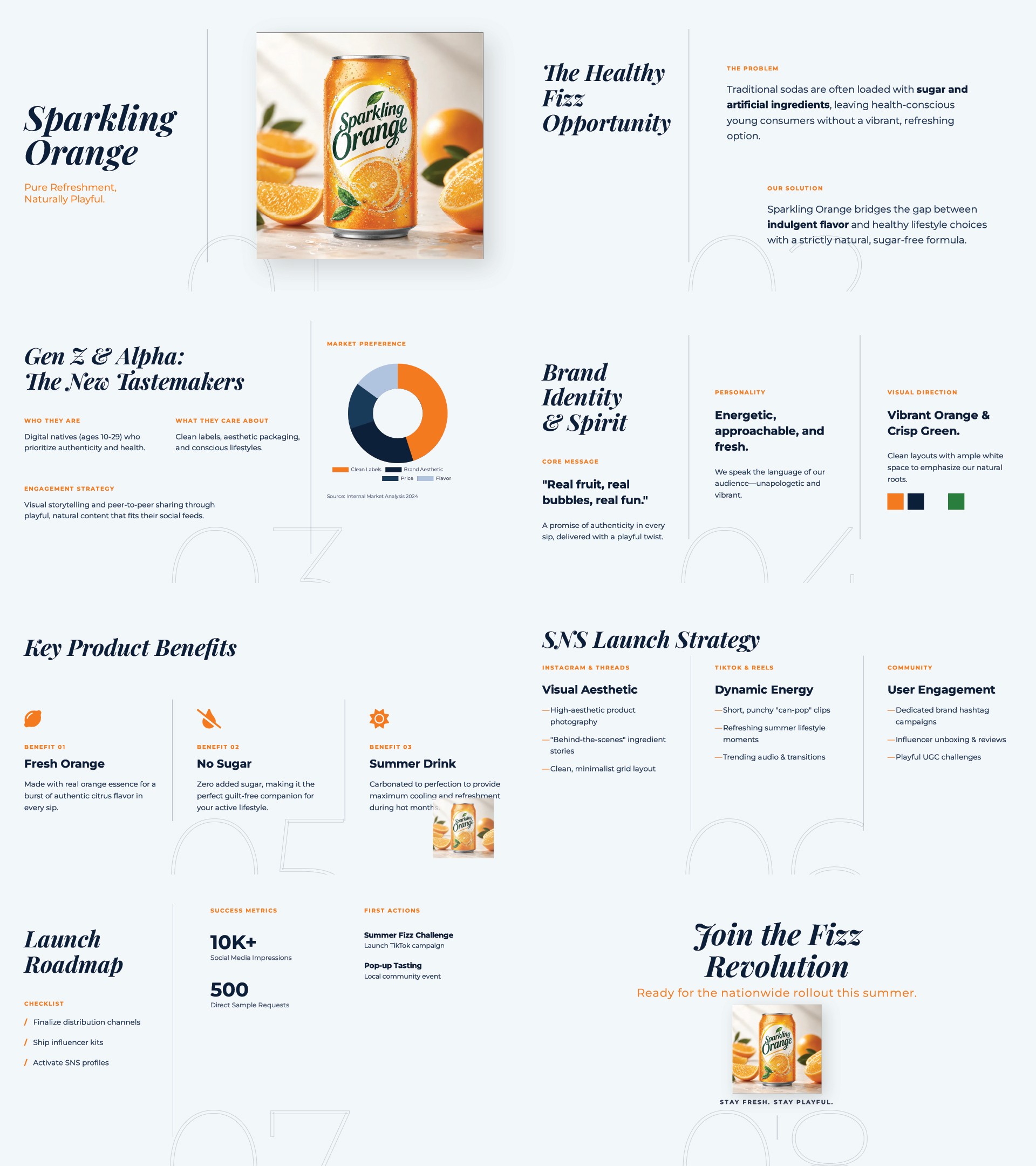
Image caption: Full pages of first deck.
Step 4: Refine the Visual Direction
The first deck may have a useful structure but still feel too generic.
In that case, keep the slide order and content structure, then refine the visual direction.
Prompt to use:
This keeps the original planning structure while improving the overall quality and visual consistency of the presentation.
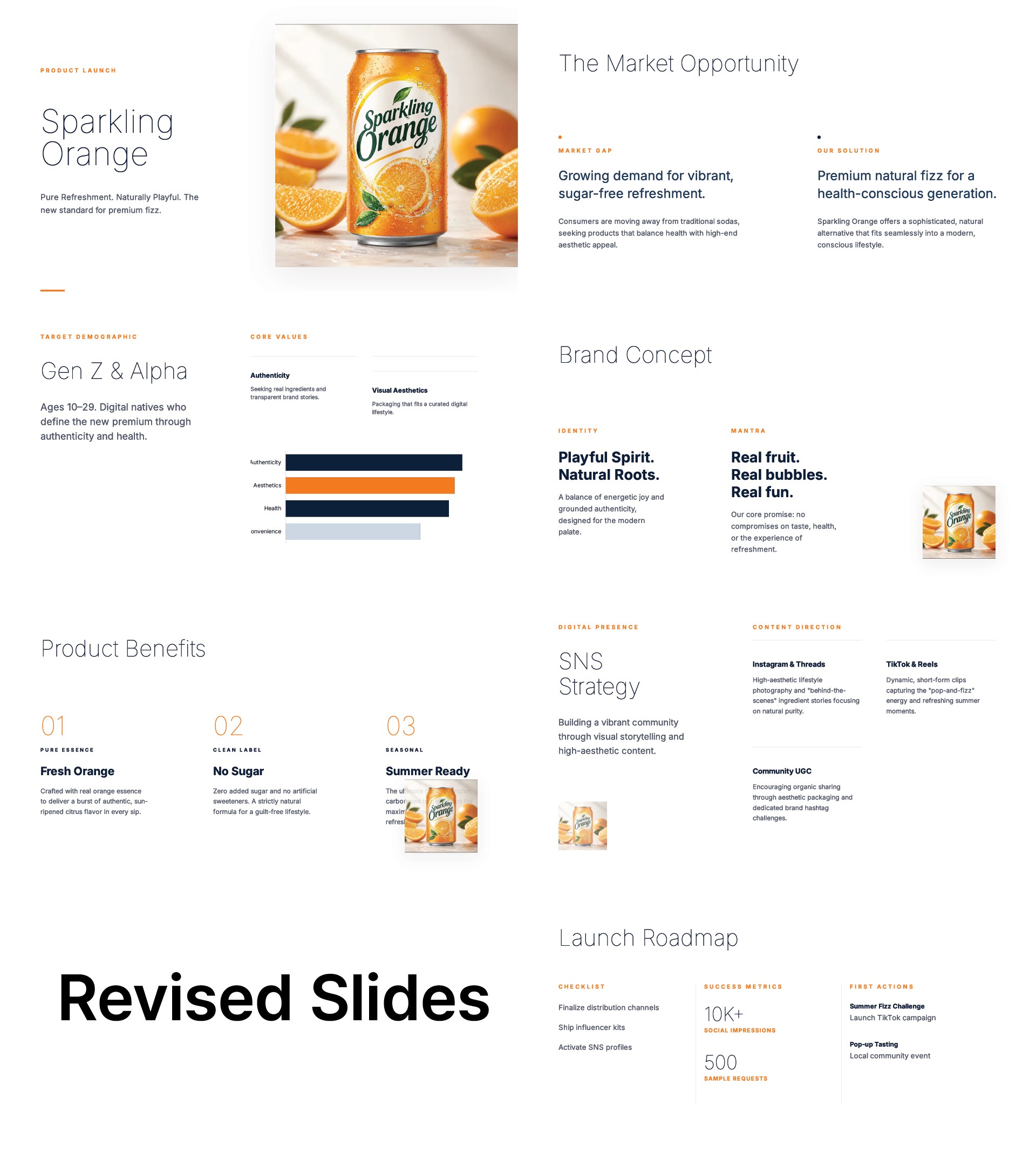
Image caption: Refine the design direction without changing the presentation structure or product facts.
Step 5: Make the SNS Launch Slide More Practical
The SNS launch plan is usually one of the most useful slides in a product launch deck.
If the first version feels too broad, revise only that section.
Prompt to use:
This helps turn a broad SNS strategy into a realistic first-week launch plan.
Step 6: Review the Finished Deck Manually
Once the deck is complete, it is better to review the slides directly rather than asking Manus for another evaluation.
Go through the presentation slide by slide and check whether it is ready to use in an internal meeting or brand review.
Focus on the following points.
Check whether the product is large and clearly visible on the cover slide.
Check whether the product category and target audience are easy to understand within the first two slides.
Check whether each slide communicates one main message instead of trying to explain too much.
Check whether the product package, label, color, and logo match the real product.
Check whether the brand colors, typography mood, and visual direction feel consistent across the full deck.
Check whether the SNS launch plan feels realistic enough for a small team to execute.
Check whether the Next Steps slide clearly explains what should happen after the presentation.
A strong presentation is not the one with the most information.
It is the one that makes the key message easy to understand.
If a slide feels too dense, remove unnecessary text and make the product image or key sentence more prominent.
A2SET Test Notes
The goal of this test is not to prove that Manus can build a complete brand strategy from one product image.
A more realistic question is this:
Can one product image and a short product brief become a launch presentation that a brand team can quickly review?
For that purpose, Create slides is an interesting feature to test.
Keep the inputs clear.
Use one product image, three key benefits, a defined target audience, a clear brand tone, and a seven-slide structure.
Review the first result for slide flow and product image use.
Then refine the visual direction and SNS launch slide separately instead of rebuilding everything.
For the blog visuals, four screenshots are enough.
The first image can show the Create slides button on the Manus home screen.
The second image can show the product image upload and first prompt.
The third image can show Manus building the slides.
The fourth image can show the completed deck or a before-and-after comparison after design refinement.
Common Issues and Simple Fixes
If the cover slide feels too plain, use this:
Make the cover slide feel more like a premium product campaign while keeping the product as the hero.
If there is too much text, use this:
Reduce the text on every slide and turn long explanations into short key points.
If the product image is too small, use this:
Make the product image larger and more dominant on the cover and product benefit slides.
If the SNS plan feels too broad, use this:
Make the SNS plan more execution-focused for the first seven days after launch.
If Manus adds unsupported information, use this:
Remove unsupported claims and only use information provided in my product brief.
If the deck feels too long, use this:
Keep the presentation to seven slides and remove any non-essential content.
Responsible Use Notes
AI-generated slides are useful for quickly testing presentation structure, brand direction, and visual storytelling.
Before using the deck externally, check all product information against real source materials.
Review the product name, ingredients, pricing, certifications, functions, customer reviews, claims, and advertising language carefully.
Do not use invented statistics, customer testimonials, certifications, or product effects.
If the product image contains an incorrect label, color, package shape, or logo, replace or correct it before sharing the deck.
For external presentations, investor materials, advertising review, or sales use, the final presentation should always be reviewed by the responsible brand and business team.
Conclusion
In this tutorial, we used Manus AI Create slides to turn one product image and a short brand brief into a seven-slide product launch presentation.
The workflow is simple.
Select Create slides.
Upload one product image.
Request a seven-slide product launch deck.
Review the first result for product visibility, messaging, and slide flow.
Refine the visual direction.
Make the SNS launch slide more practical.
Review the finished presentation manually before using it.
The value of Manus is not only that it can write slide copy.
It can use product information and visual references to create a presentation structure, generate a first visual draft, and let you refine the result through natural-language instructions.
Start with a small seven-slide deck.
It is one of the fastest ways to see how Create slides can support real brand and marketing work.
Quick FAQ
Where do I start Create Slides?
Select the Create slides button below the main prompt box on the Manus home screen.
Can I start with only one product image?
Yes. One product image is enough to begin. The result will be more accurate if you also provide the product name, target audience, key benefits, and brand tone.
Do I need to rebuild the deck if I do not like the first result?
No. It is usually more effective to revise specific areas such as the design direction, cover slide, product image size, or SNS launch plan.
What is a good number of slides for a first test?
Seven slides are a good starting point. They are enough to cover the product, audience, brand concept, SNS launch direction, and next actions without making the deck too long.
Can I use the result as a real presentation?
It can be useful as a draft. Before using it for an external presentation, sales deck, advertising review, or investment material, review all product facts, visual assets, claims, numbers, and brand wording carefully.